How to launch php file in proper directory?

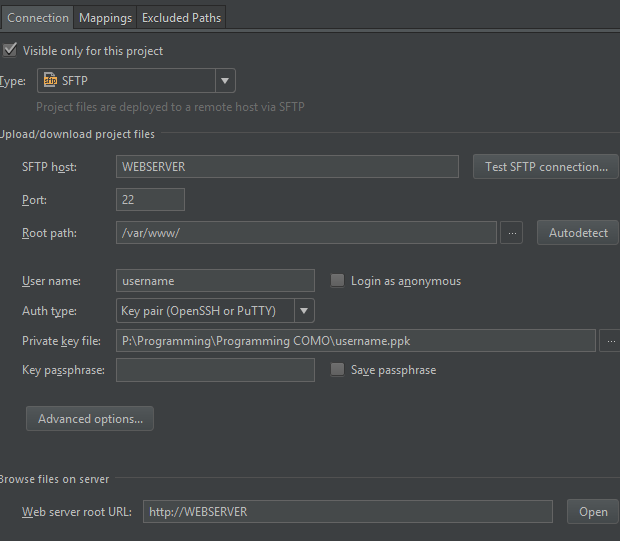
My web server root is /var/www/html/
I have my database config in /var/www/, so in the Remote Host I set /var/www as the root path so I can get that database config brought over, so my sql statements in my php file can find the database class and not through errors.
When I click the chrome icon to open a php page, it opens it as http://WEBSERVER/html/mypage.php
I can not figure out a way for it to open it in http://WEBSERVER/mypage.php with the setup I have above.
Thanks!
Please sign in to leave a comment.
Hi there,
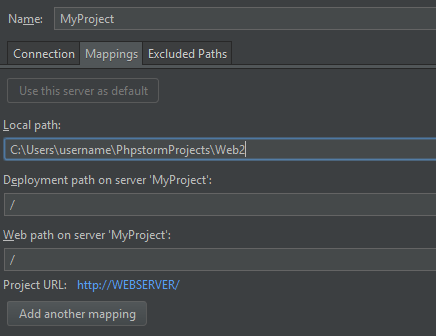
Just create additional mapping there:
Local path: PROJECT_ROOT\html
Deployment path: /html/
Web path: /
So now .. when you want to see any file in /html subfolder .. the URL will be built using just /
Thank you that worked!