context menu location when using remote desktop
Answered

I run pycharm on linux. I access it through mobaxterm from a windows box. If I use remote desktop to connect to that windows pc pycharm gets confused such that context menus show up in inaccessible locations. Here's a screen shot in which I did a right-click near the top of the window but pycharm opened the menu near the bottom. In this case I can get to all the menu options but quite often the menu is too long and I can't get to everything. Is there any way to move context menus or maybe reset their default positions?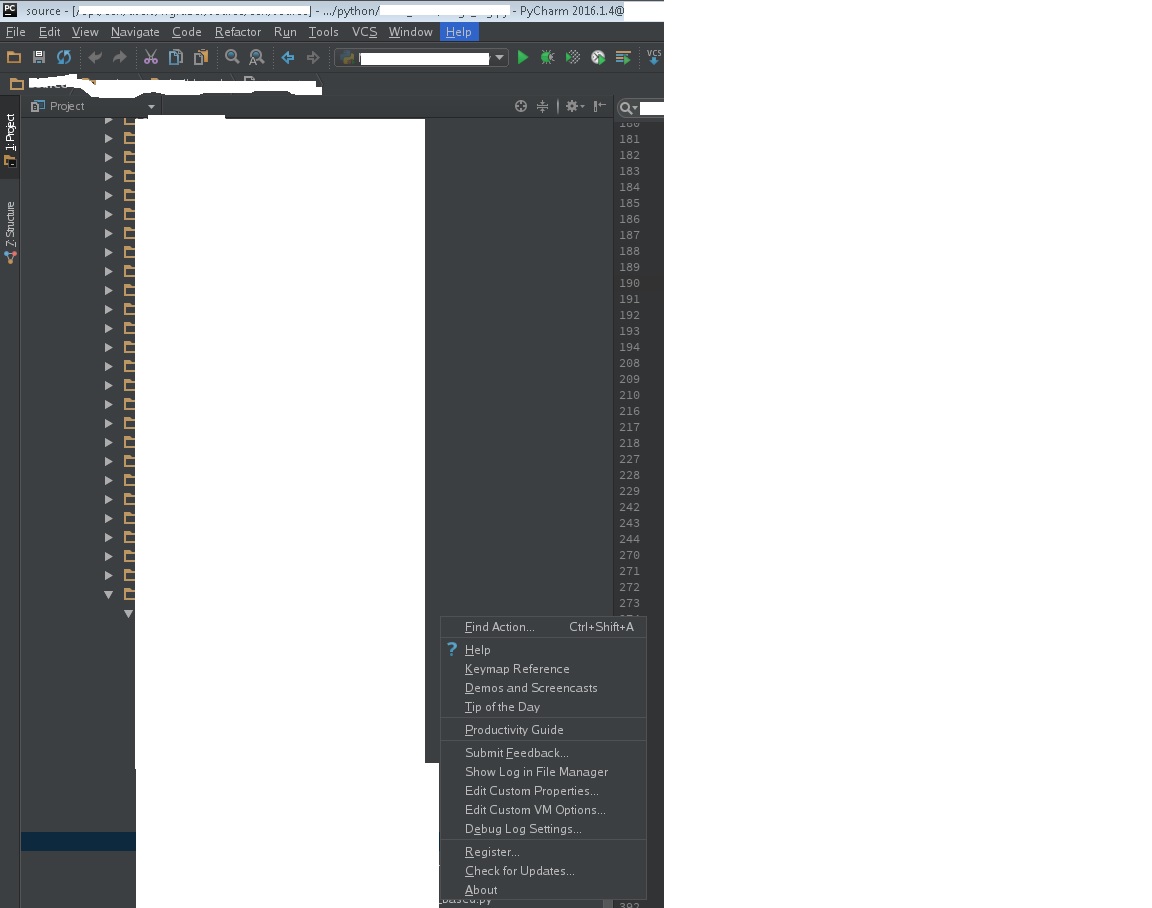
Please sign in to leave a comment.
Please check the problem with Pycharm 2016.3.2 or with the latest Pycharm 2017.1 EAP: https://www.jetbrains.com/pycharm/nextversion/. Does the update help?
I finally had an opportunity to upgrade and test this out. The same thing happens with the 2017 version. :-(
I have the exact same problem and it still persists with PyCharm 2020.2.3. I am also accessing a PyCharm installation on Linux (Ubuntu 14.04; JDK 11) using MobaXTerm 20.3 and the context menus appear at weird positions when using Windows remote desktop (Windows 10).
This problem is now known since more than 3 years and still not fixed... Any advice how to fix it would be highly appreciated!
EDIT: This also applies to other popup windows such as the Find-Window (Edit>Find>Find in path). Sometimes these windows even appear 95% outside of the monitor screen so that I always have to move them before I can actually use them.