Run configuration for a PHP Web Server

Hi,
I just configured the PHP Storm to deploy files to the web server directory (/Library/WebServer/Documents/test). Test is the folder I want to store the PHP files for a particular project.
I am running on macOS and PhpStorm 2017.1
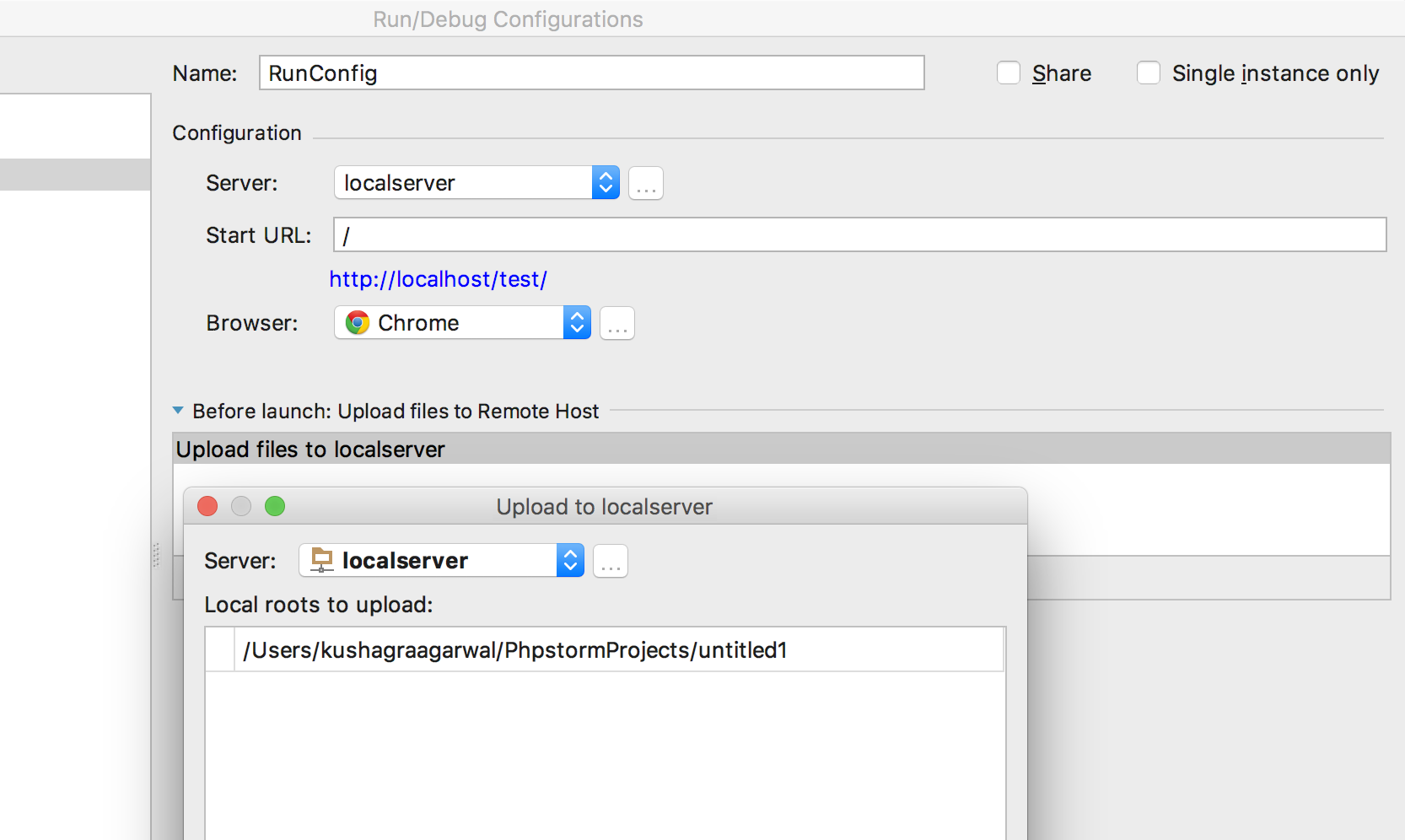
I configured the run/debug configuration for a PHP Web Application and added a task to Upload files to the remote host. In my case, it should u to upload to /Library/WebServer/Documents/test. It's doing that just fine. But the problem is when I am clicking on the green Run button to run a file say hello.php, it's opening the default browser whichever is selected and the URL it's hitting is http://localhost/test instead of http://localhost/test/hello.php.
But, when I manually select any browser, even the one which is specified in configuration, from the Browser Popup in Editor it's correctly hitting the page at http://localhost/test/hello.php
I'm also attaching all the images so that you can see my configuration as well.
I did my research but I wasn't able to find anything.
Please let me know if you need any more information as well.


Please sign in to leave a comment.
What's the type of a Run/Debug configuration are you using?
If you add index.php to a Start URL - it should work.
Hi,
But if I specify index.php or say hello.php then every time if run that project, the specified page will run. What if I want to run the file which I am working on right now? Is there way for that as well?
You can just right click a file > Run > select either a Web browser icon (PHP Web App config) or Console icon (PHP Script run config)
Thank you very much, Dmitry. I'll check that when I'll be near my system and will let you know how it goes. Thanks! :)
@Dmitry Tronin --- when right-clicking it looks like the only option I get is to run/debug the selected file in a CLI configuration, not a choice of Web app config. Any suggestions?
Joseph, are you clicking on a plain .php file?
Check that you don't have bundled plugins disabled at File | Settings | Plugins
it looks like every plugin was enabled at install-- no plugins from any of the "Show" lists are unchecked.
Oh, and I was right-clicking on a plain.php file
In order to get the script to open (Run/Debug) from the browser, I had to manually add a PHP web Application configuration, and add the file name to the "Start URL"... it didn't seem like the start url was populated automatically when the source was opened in the editor. That would be nice.
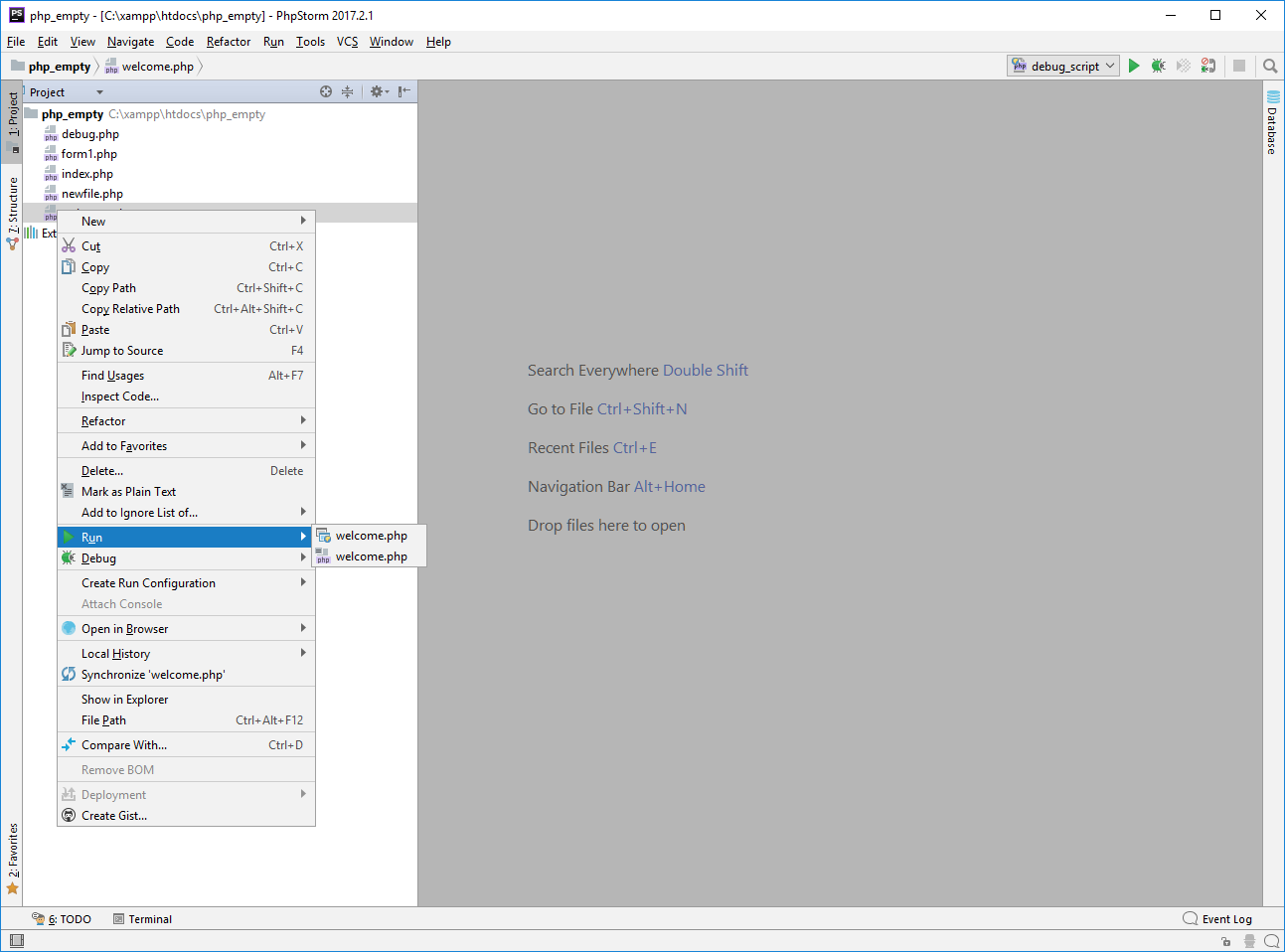
It seems almost as if the only choice is the "default" one set transparently after choosing the "PHP script" option on the file the first time. If I haven't run the script yet, I get an option of "Javascript Debug" or "PHP script", as shown in the second image