PyCharm commited to GitHub, but there is no commit on GitHub.
Answered

Hi,
I commited a new file to my GitHub repository and PyCharm reported no errors, but
- there is no new file on GitHub
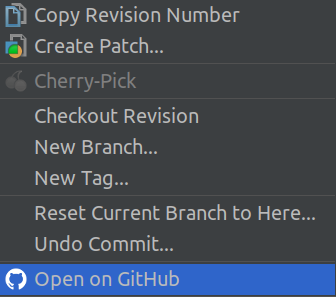
- the "Open on GitHub" context menu entry leads to a GitHub 404 error page
What did I do wrong?
Regards,
Ettore
Please sign in to leave a comment.
IDE uses command lin Git client for git integration.
From the command line git perspective, GitHub is a server that serves remote git repositories. Git, as a Distributed Version Control System, does not allow to commit to a remote repository directly. It always commits to a local repository, and you need to PUSH the locally committed changes to a remote server.
So, since you committed without issue, invoke VCS - Git - Push (or use Ctrl/Cmd+Shift+K shortcut) and push your local commits to GitHub.
Please see for details:
https://help.github.com/articles/adding-a-file-to-a-repository-using-the-command-line/
https://git-scm.com/book/en/v2/Git-Basics-Working-with-Remotes
Thanks for your explanation. First commit (to local repository) then push (to remote repository).
But why does the "Open on GitHub" entry appear in the context menu when the changes are not yet pushed to GitHub?
Regards,
Ettore