Jupyter Notebook - font issue
Answered

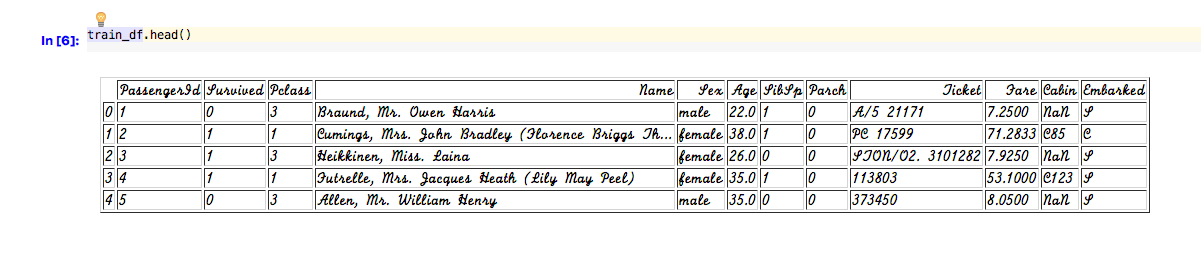
I have a jupyter notebook running in PyCharm CE 2017.1.2. When I display a pandas dataframe in the notebook the font used is a bizarre cursive script that is very difficult to read. All the other cell contents are displayed OK. If I point a browser at the Notebook IP address, the table display font is normal. How can I fix this ? None of the font setting in Preferences have any effect.
Thanks.
Please sign in to leave a comment.
Hi!
Please specify your OS and JDK version you're using (just copy info from About PyCharm screen).
Thank you!
Here are the details:
PyCharm Community Edition 2017.1.2
Build #PC-171.4249.47, built on April 26, 2017
JRE: 1.8.0_112-release-736-b21 x86_64
JVM: OpenJDK 64-Bit Server VM by JetBrains s.r.o
Mac OS X 10.11.6
Thanks,
Geoff