Cursor doesn't jump automatically to current position

Hi, everyone, when I finish statement and enter new line, I hope Webstorm will jump to current position:
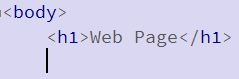
but Webstorm turned back head line ...
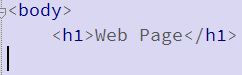
Hope you will show me related checkbox at somewhere in preferences, thanks!
Please sign in to leave a comment.
If 'Smart indent' is enabled in Preferences | Editor | General | Smart Keys, next line is indented according to code style preferences on hitting Enter. And by default children of <body> tag are not indented
You have to either turn 'Smart indent' off to have next line always aligned with previous regardless of code formatting options, or change the code style - for example, remove 'body' from Do not indent children of: list in Preferences | Editor | Code Style | HTML | Other