FIXED: Mac Intellij IDEA Not Showing Errors in Actionscript Project
Answered

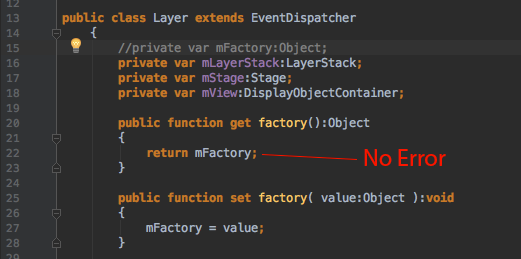
I'm having an issue on a fresh install of IDEA where all of a sudden errors such as missing or misspelled variable definitions do not show in auto inspection (no red lines in code or file names). They worked when the IDE was initially installed, but suddenly (and arbitrarily--it was while I was working on a file), they do not show up at all. Other inspection warnings or highlights show just fine.
Anything I can do to check or reset to enable these? I've tried creating new projects and clearing out caches and preferences, checking the power save mode, and there are no user-installed plugins. Help!
Please sign in to leave a comment.
Fixed. I have a project with two modules. One was linking the others' src folder as a dependency. I removed that and now the error is showing properly. I may end up using the source code as a swc library.