The database tool does not show the whole content of columns with type longtext

Hi,
the message field in our database looks like this:
I found in the here that I need to use the quick document view. But the view looks like the following and I cannot find a way to load the whole 4.8 MB.
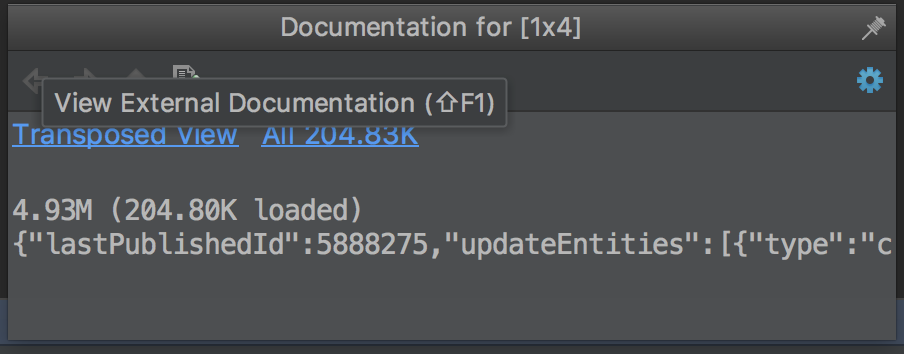
I would like to convince my team that the intellij database plugin is much better than the Mysql Workbench, but with that problem I don't have any chance in doing so. Can you help me?
Thanks
Please sign in to leave a comment.
Try Context menu → Edit maximized and report if it doesn't help.
Hi Maxim,
thanks for your quick response. Unfortunately it does not help. Any other idea?
Thank you Maxim, the first option works for me for now :) If not I will have a look at the other option
UPDATE december 2018
-------
Save LOB now seems working fine, as it exports the entire field without any size limit.
I'm using PyCharm 2018.3, built on November 20, 2018
Hi there,
just wanted to report that the problem is reflected in "Dump to datafile" tools as well.
I have longtext fields (representing json content) truncated when I've exported using JSON-Groovy.json.groovy export script.
It's like the script reads the Max LOB Length setting? It seems the case since it properly dumped json data when I've changed to a bigger value.
Thank you,
d
Hello,
For me adjusting the max LOB worked.