Upgrade Package Failed

I have PyCharm Community Edition 2016.2.3 on Windows, the latest version. It's been working great, but something just broke and I can't seem to fix it.
When I go to File / Settings / Project Interpreter and try to either upgrade or install a new package, I get the following error:
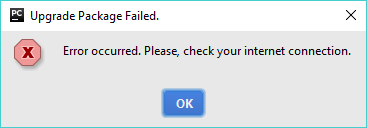
My Internet connection is fine. This started happening shortly after I deleted a couple non-existent Project Interpreters by clicking the gear next to the Project Interpreter: text box, More, and Remove, and it may have something to do with that. I have tried rebooting and re-installing PyCharm. I have tried selecting different interpreters among my system interpreter and a virtual environment, with the same results.
I'm stumped. Any advice?
Please sign in to leave a comment.
Please, check the problem with the latest PyCharm 2016.3. Does the update help? If no, please, file this issue to PyCharm issue tracker: https://youtrack.jetbrains.com/issues/PY and attach screenshots that show the problem with idea.log (https://intellij-support.jetbrains.com/hc/en-us/articles/207241085-Locating-IDE-log-files), thank you.
I just re-installed this version:
PyCharm Community Edition 2016.2.3
Build #PC-162.1967.10, built on September 7, 2016
JRE: 1.8.0_112-release-b343 x86
JVM: OpenJDK Server VM by JetBrains s.r.o
a few days ago when this problem occurred. I assume that's the latest? I will log the problem as you describe.