Deleting wrapped lines

Hi!
I wonder, how could I set up pycharm so it delete whole line in "use soft wraps in editor" rather than delete visible wrapped part of the line?
I'm not sure I am right with my question, maybe this behavior is feature, but then how I can avoid it?
I attached some screeenshots in order to explain what I mean.
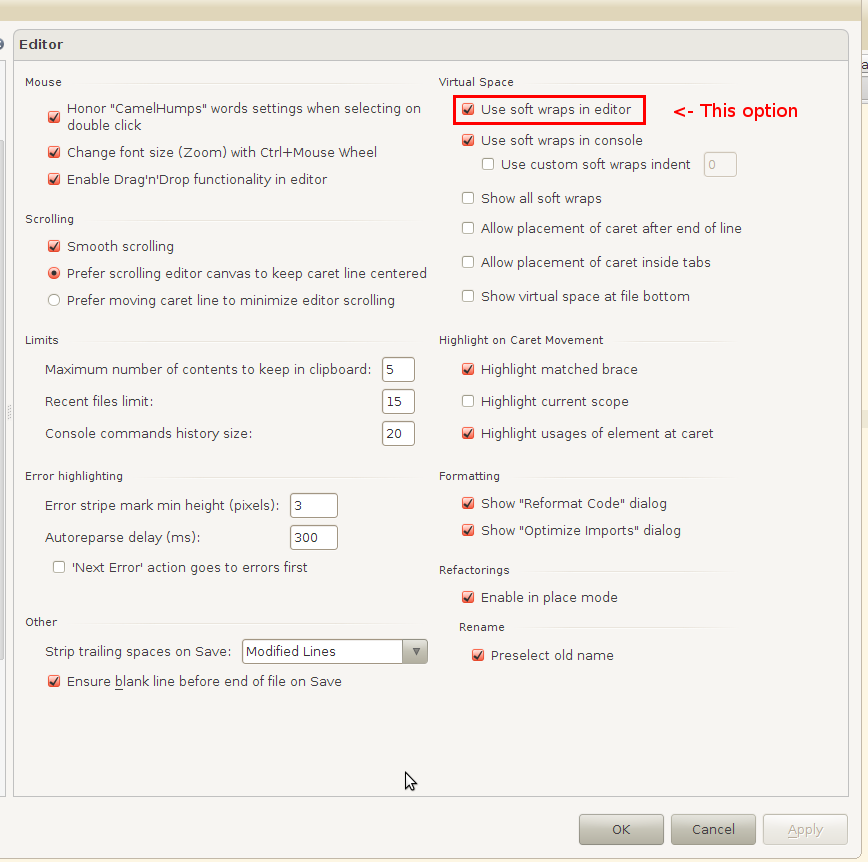
This is my settings window:
if I expand editor to full width, it will delete whole line:

But if I open side panels, for example, decreasing editor width, it will delete the only visible part of line.

Attachment(s):
settings.png
whole-line.png
wrapped-line.png
Please sign in to leave a comment.
Hi Ivan,
Delete Line (Ctrl+Y) action supposed to delete whole line .. but it does not -- I suggest to file a Bug/Usability ticket on Issue Tracker: http://youtrack.jetbrains.net/dashboard/IDEA
If you happy to place cursor at first column, then you could try assigning some shortcut to EditorDeleteToLineEnd action (at Settings | Keymap | Editor Actions) -- it works properly with wrapped lines .. but that is not much different to manually selecting whole line and pressing Delete.
Opened new issue in IDEA tracker: http://youtrack.jetbrains.com/issue/IDEA-85100
That's a bug.
Please use Shift+Delete as a temporary workaround.
Denis