No "Remote Interpreter" option in settings

Hi,
I'm trying to configure PyCharm in order to develop on a remote machine using SSH.
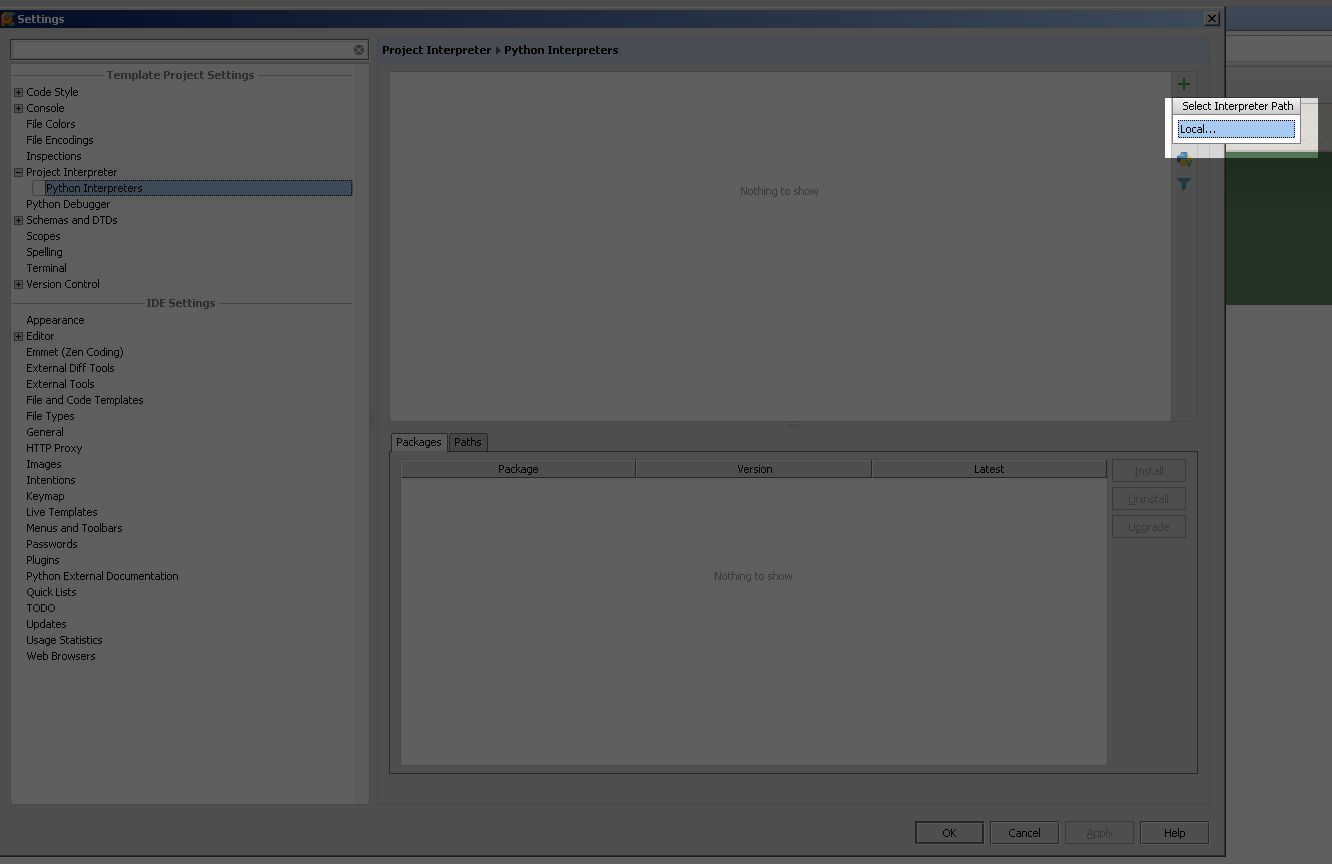
I followed how-to's but there is no such "Add remote interpreter option" neither in Linux nor in Windows version.
1. What could be possibly wrong with my setup?
2. Anyways, how can I add remote interpreter without gui (ie. by editing some files in PyCharm application folder or somewhere)
Thank you.

I'm trying to configure PyCharm in order to develop on a remote machine using SSH.
I followed how-to's but there is no such "Add remote interpreter option" neither in Linux nor in Windows version.
1. What could be possibly wrong with my setup?
2. Anyways, how can I add remote interpreter without gui (ie. by editing some files in PyCharm application folder or somewhere)
Thank you.
1 comment
Sort by
Date
Votes
This feature exists only in PyCharm Professional edition.
Please sign in to leave a comment.