where do i find git add . and git commit -a -m "something new done"

Hello i am using GIT.
On my system i type after finishing a productionstep:
git add .
and then
git commit -a -m "something new done"
Are there equivalents in the "VersionControl"-Git menue? I have not found them.
Please sign in to leave a comment.
Please ensure you have git configured as version control system for your project. This can be configured in File | Settings | Version Control.
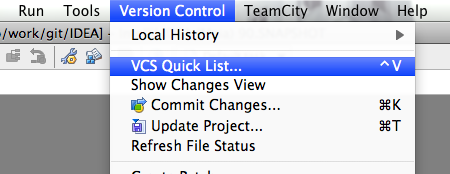
After everything is configured you'll see Git actions group on right click and in Version Control main menu.
Threre are several ways to do it
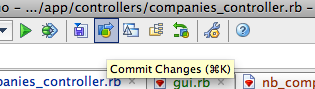
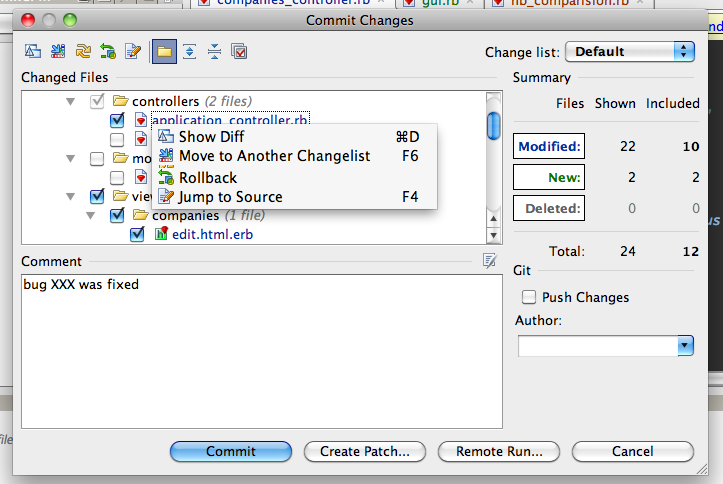
1. Press "Commit" button in toolbar. Select necessary files in commit dialog, view diffs (if you need) and enter commit message
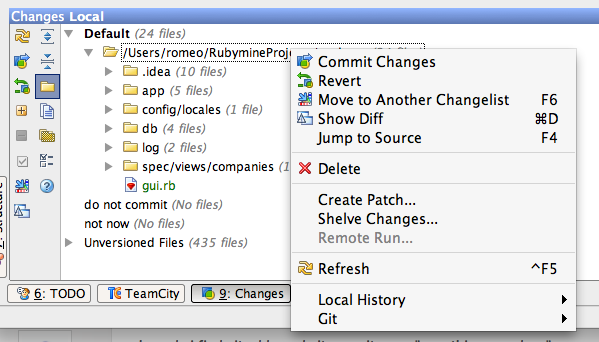
2. Open "Changes" tool pane. Select necessary files/folders and choose "commit" in context menu
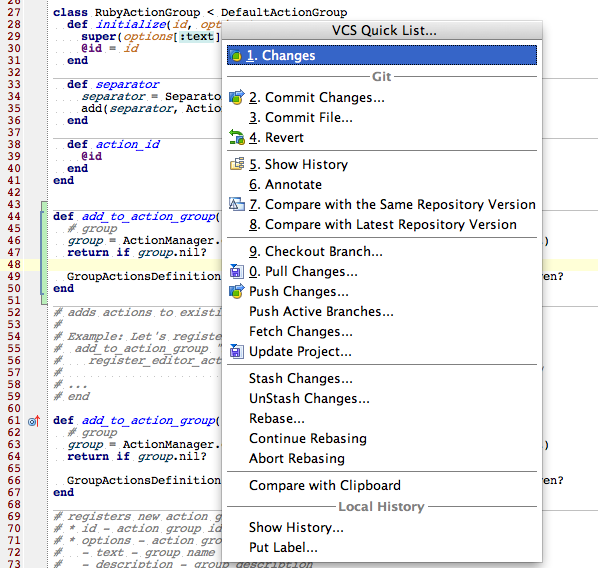
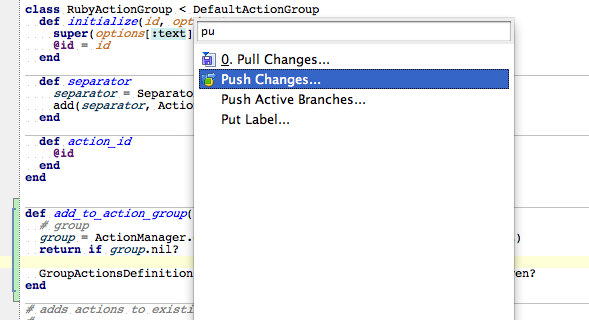
3. Next RubyMine build will contain action list popup with VCS actions (revert, history, diff, ...). Popup will be available by shortcut and you will need learn only one shortcut to have all necessary vcs operations
Context search also available in actions list
P.S: As for me - I'm using RubyMine/IDEA git UI for committing/diffs/history/annotate, sometimes rebase and stash/unstash. External GitX application (MacOS) for commits log viewing (git commits log isn't available in current version of RubyMine but we will add it in future), and console for switching branches, push, rebase, merge operations.