IDEA-9 (Maia # 10781) - cant send errors to JetBrains from IDEA

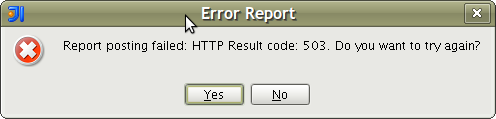
The IDEA-9 EAP seems pretty good so far but whenever errors come up in IDEA core, I would be able to send errors to JetBrains directly from IDEA. Since this morning, I've been experiencing HTTP 503 errors while attempting to notify JetBrains about issues in the EAP.
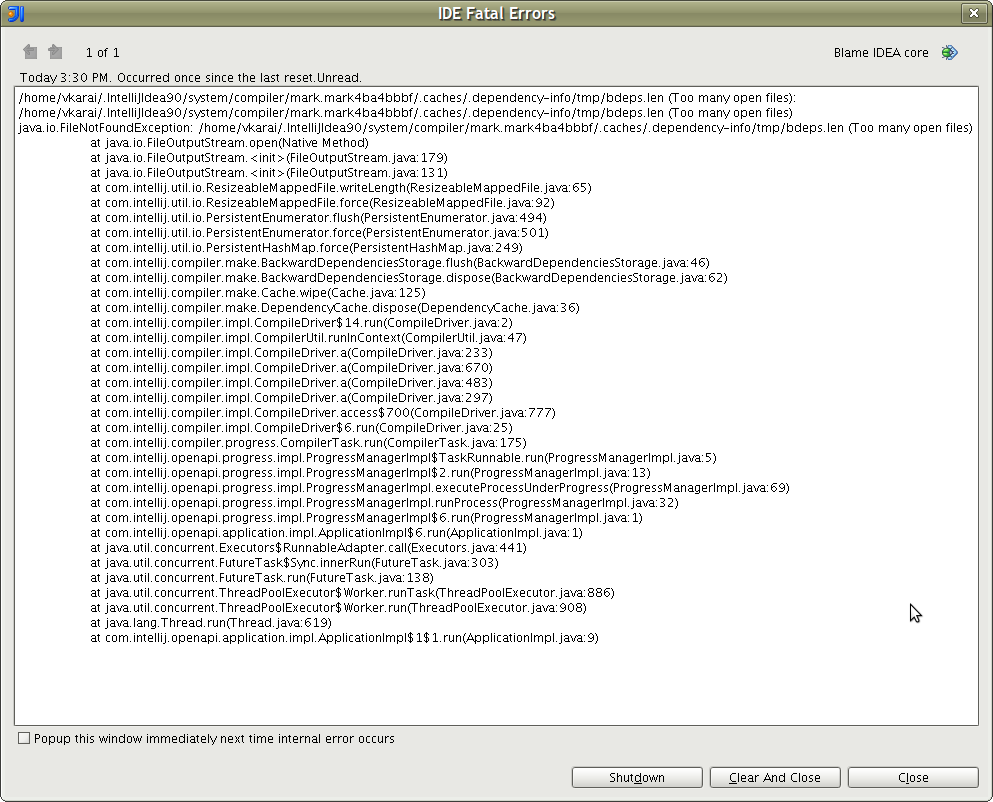
One of the issues that's been hounding me today is "too many open files". See attached screenshots.
The environment is:
- IDEA-9 EAP (build # 10781)
- Ubuntu 9.04 (2GB main memory)
- Java 6
Attachment(s):
IDEFatalErrors.png
ErrorReport.png
Please sign in to leave a comment.
I'm seeing the same problem. Having ide errors which seem related to GUI, which I am unable to send : -(.
Thanks,
Sean
I've been seeing this problem since yesterday as well for 10781. Didn't change any settings recently. Running on Windows XP SP3.
I was having the same problem until this morning. Now I get a message that says "JetBrains Account authentication failed. Do you want to try again?". The credentials I'm supplying work when I login on the web site.
Yep, same problem here "JetBrains Account authentication failed. Do you want to try again?"
Since Alex is also experiencing the same problem (see response to your note from Alex), I suggest you open a JIRA ticket. It's important to be able to login to JetBrains since your IDEA configuration settings (colors, fonts, alignment, etc) are saved by them if you're using IDEA-8 and beyond. These settings are then automatically propagated to other workstations (upon succesful login to JetBrains). It's an important feature which I found very useful.
Here's the JIRA site: http://jetbrains.net/tracker/loginForm
Hello Viraf,
Note that this feature is completely unrelated to the exception reporting
service (which is indeed down at the moment).
--
Dmitry Jemerov
Development Lead
JetBrains, Inc.
http://www.jetbrains.com/
"Develop with Pleasure!"