Bold entry in History

Hello, I'm using Intellij 8.3.1 (on ubuntu 8.10) and I can't resolve a simple (I believe) question:
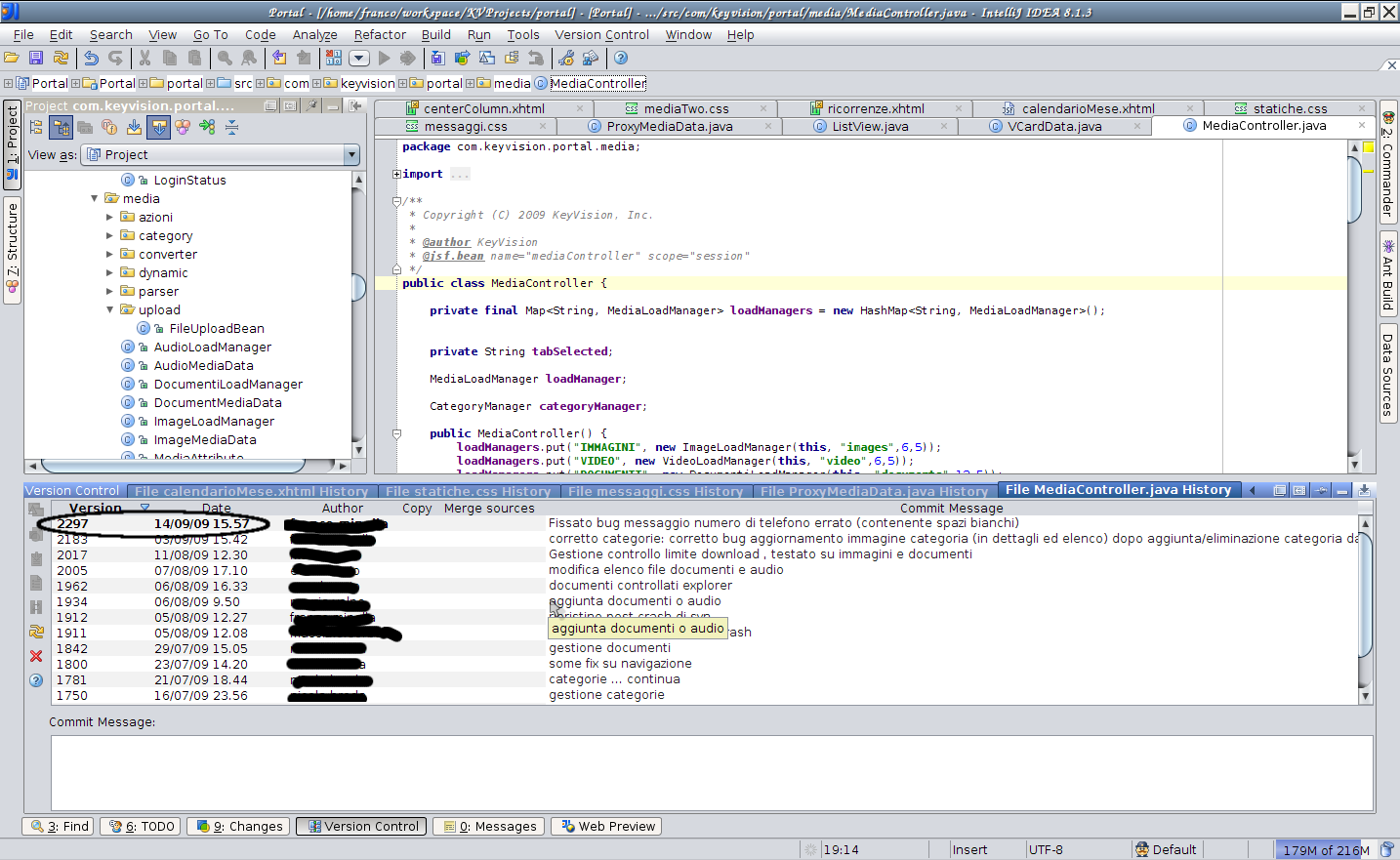
when I open history view (clicking on "Show History" button) I see information about file versions (commits etc...)
I noted there is always a entry marked in bold (you can see attached image for example).
My doubt is: what does the bold line mean? Does it have to do with branches in svn?
I haven't found it anywhere (idea helps, google etc...)
Thank in advance.
Attachment(s):
rowInBold.png
Please sign in to leave a comment.
Hello Cippo,
The bold entry is the revision of the file that you currently have in your
working copy. This is usually the latest revision, but sometimes not.
--
Dmitry Jemerov
Development Lead
JetBrains, Inc.
http://www.jetbrains.com/
"Develop with Pleasure!"
Thank you, it is obvious now!
Is there a way to make the history commit text non-bold?
I really can't read the dense text when it's all bold. I tend to use light variants of fonts.
@Greg
Disable all highlighting here: https://i.imgur.com/UV50BT4.png
Cheers Konstantin,
That looks perfect. Unfortunately right clicking in the header does not make the menu appear for me.
I'm using Goland 2021.1.3
This is what I see when I right click in the header.
Action is not in the context menu, but under the "Presentation settings" button: https://i.imgur.com/F2NqG75.png
Ah right - I can see it now. Cheers!