eslint's ecmaFeature "objectLiteralShorthandMethods" not working

When I run eslint on the commandline, everything works as expected. But in Webstorm, I get errors for example due to shorthand-methods in a jsx file. I have installed eslint as described in the Webstorm help.
For example the following jsx will generate an error "ESLint: Unexpected token (", underlining the closing brace in Webstorm:
var React = require("react");
var AReactComponent = React.createClass({
    render() {
        return (
            <p>Whatever</p>
        );
    }
});
I tried both ways to give Webstorm the configuration-file, by letting it search for .eslintrc or by directly referencing it.
When running eslint on the command-line, there is no error reported.
Here is my .eslintrc configuration file:
{
"ecmaFeatures": {
"arrowFunctions": true,
"defaultParams": true,
"objectLiteralComputedProperties": true,
"objectLiteralDuplicateProperties ": true,
"objectLiteralShorthandMethods ": true,
"objectLiteralShorthandProperties ": true,
"octalLiterals ": true,
"regexUFlag ": true,
"regexYFlag ": true,
"superInFunctions ": true,
"templateStrings ": true,
"unicodeCodePointEscapes": true,
"globalReturn": true,
"blockBindings": true,
"forOf": true,
"jsx": true
},
"env": {
"browser": true,
"node": true
},
"rules": {
"camelcase": 1,
"curly": 1,
"guard-for-in": 0,
"new-cap": 0,
"eqeqeq": 1,
"no-use-before-define": 0,
"no-empty": 1,
"no-undef": 1,
"no-unused-vars": 1,
"max-params": [1, 4],
"max-depth": [1, 3],
"eol-last": 0,
"semi": 1
}
}
What can I do to fix this behavior?
Please sign in to leave a comment.
To me, results are identical when running eslint in terminal and using ESLint in WebStorm:
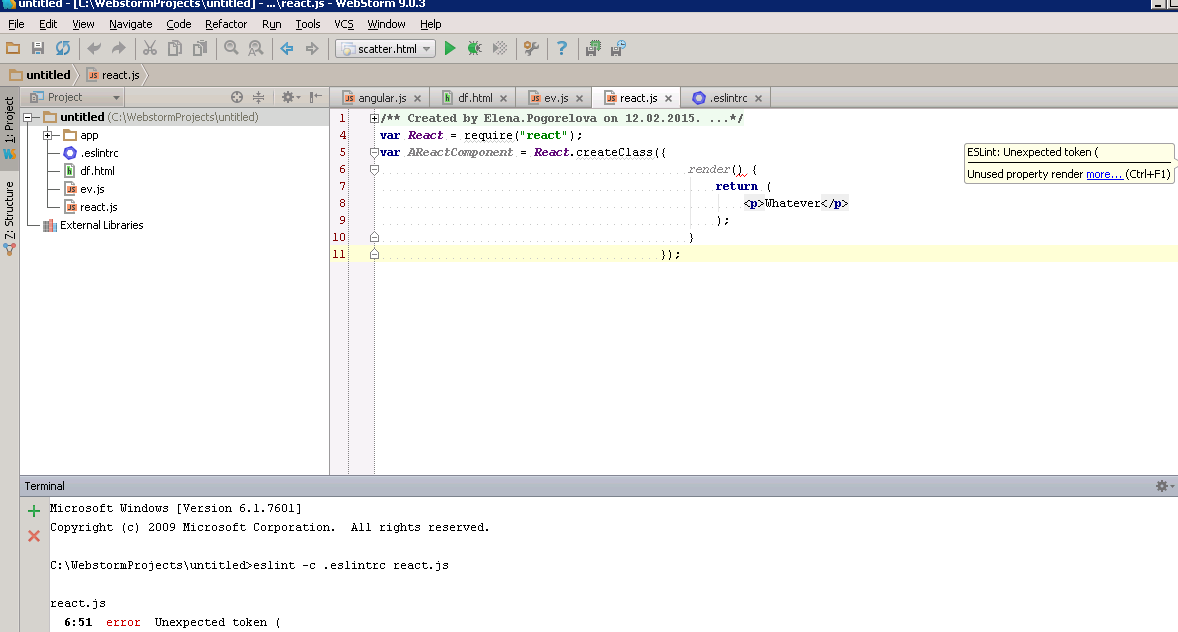
Using ESLint 0.14.1 with your configuration file
If you store the same file as a .jsx file, the command-line eslint error will go away. So it seems to be a problem of how Webstorm handles .jsx files.
Also using eslint v0.14.1
I get exactly the same results after renaming file to .jsx - see screenshot
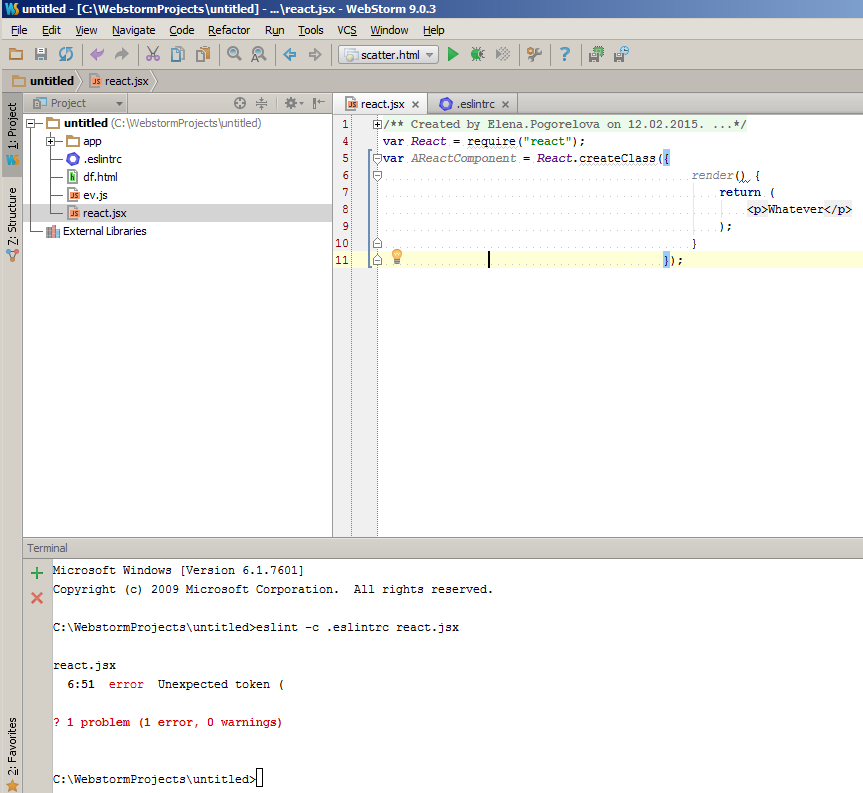
Thank you for reproducing. I see now why there is a difference. I noticed that eslint will ignore .jsx files when just given the directory where the .jsx files are in. That is why the exception is not there when I call it on the command-line.
So it seems to be a problem with eslint and not with Webstorm.
Thank you,
André
Ok, for those having the same problem:
It seems that currently you still need a special version of the eslint package:
http://eslint.org/blog/2014/11/es6-jsx-support/
I was able to get it working with that version. In order for the command-line to work with jsx files, I had to add the following arguments:
eslint -c .eslintrc src --ext=.js --ext=.jsx
This is the configuration file I used:
{
"settings": {
"ecmascript": 6,
"jsx": true
},
"ecmaFeatures": {
"arrowFunctions": true,
"defaultParams": true,
"objectLiteralComputedProperties": true,
"objectLiteralDuplicateProperties ": true,
"objectLiteralShorthandMethods ": true,
"objectLiteralShorthandProperties ": true,
"octalLiterals ": true,
"regexUFlag ": true,
"regexYFlag ": true,
"superInFunctions ": true,
"templateStrings ": true,
"unicodeCodePointEscapes": true,
"globalReturn": true,
"blockBindings": true,
"forOf": true,
"jsx": true
},
"env": {
"browser": true,
"node": true
},
"rules": {
"strict": 0,
"camelcase": 1,
"curly": 1,
"guard-for-in": 0,
"new-cap": 0,
"eqeqeq": 1,
"no-use-before-define": 0,
"no-empty": 1,
"no-undef": 1,
"no-unused-vars": 1,
"max-params": [1, 4],
"max-depth": [1, 3],
"eol-last": 0,
"semi": 1,
"no-multi-str": 0,
"no-underscore-dangle": 0
}
}