Select multiple nested files in Project view with keyboard

Is it possible to select multiple files in Project view which are nested in different folders and by only using a keyboard?
Currently I can use CTRL+left mouse click to do that but I would like to be able to avoid using a mouse whenever possible.
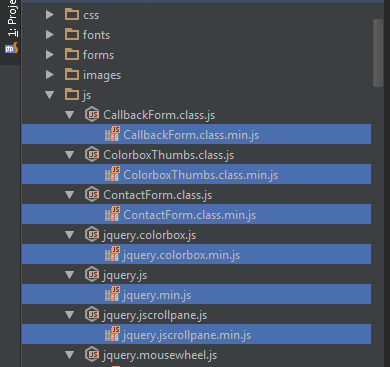
P.S. The attached picture shows a file watcher structure which might cause some confussion to the question. What I was actually trying to ask is if it would be possible to make a free project view selection which is not sequential. I know I can use SHIFT + arrow keys to make a file selection with no gaps but would it be possible to make a completely free selection (with possible gaps)?
Attachment(s):
project.png
Please sign in to leave a comment.
Should work in the same way as in Windows Explorer: hold the Ctrl key and use up/down arrows to move without selection, Space to select.
There are some issues though - see http://youtrack.jetbrains.com/issue/IDEA-108471 and related tickets
Well that was certainly unexpected :) In fact I already tried CTRL/arrows/Space procedure but considering I was unable to see a file marker I thought it was not working.
It would be great if the file marker issue was resolved because shooting at files in the dark isn't particularly helpful.
Thank you Elena.