Debugging unit tests with the chrome plugin is buggy

Although I have installed the Jetbrains Chrome plugin I get sometimes messages to install exactly this plugin.
Therefore my unit tests with karma + jasmine are not starting at all...
I am using the latest final WebStorm 8 you can download...
Please sign in to leave a comment.
Please see my reply at http://devnet.jetbrains.com/thread/453710?tstart=0. Does debugging work for you using my project? If it doesn't, please attach a screencast
Your idea.log, contents of the Jetbrains IDE Chrome extension log ( see http://confluence.jetbrains.com/display/WI/LiveEdit, How do I know what's wrong?) and a screenshot of Settings/Debugger/JavaScript tab would also help
http://youtrack.jetbrains.com/issue/WEB-11577 will be fixed in the next WebStorm update. To me, the current workaround is to restart WebStorm - on the 2-3 attempt debugger starts working
I can not run your project because its full with your user settings and I am not willing to fix a test project that we can fix a bug...sorry I have no time for that.
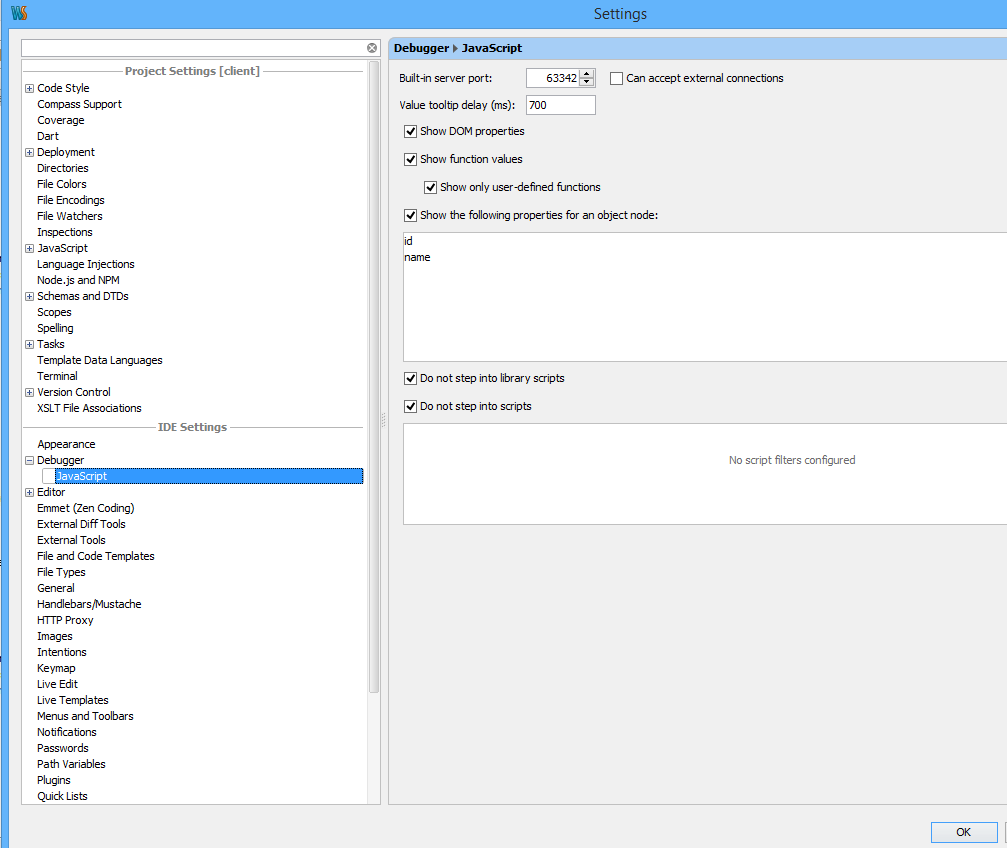
I have not found any idea.log in my clientside project.
My LiveEdit settings in the View menu was always disabled.