Help Creating New Flask Project - PyCharm 5.0.4 on OSX 10.11.2

I am trying to learn Python / Flask development using PyCharm, and following this tutorial video: https://www.youtube.com/watch?v=2geC50roans
However, my PyCharm "New Project" dialog looks nothing like the one in the video tutorial. Mine looks like this:
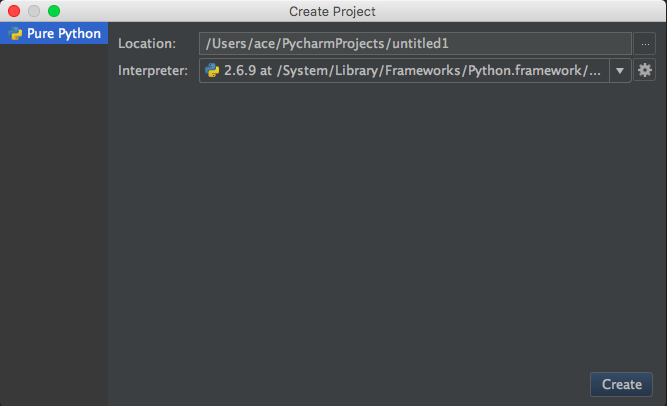
Notice there is no option for setting a project "Type", which is a requirement according to the tutorial.
How do I go about creating a new Flask project in PyCharm 5.0.4? Also, is there a source of updated tutorials (either text or video) that reflect the obviously highly updated GUI of PyCharm 5?
Thanks for any help you can offer.
Aaron
Please sign in to leave a comment.
Nevermind - I figured out that I had to install PyCharm Professional Edition.