Method 'init' is defined in class 'NSObject' and is not visible

Hi
i installed AppCode a while back and just upgraded again.
I opened a project that it had opened before.
I'm getting weird NSObject errors everywhere. Cant find methods sich as alloc/init.!!!! any ideas? is there an index I need to rebuild somewhere?
It's pointing to the latest Xcode /ios7.1.1.
Please sign in to leave a comment.
Could you please try to do File | Invalidate Caches / Restart?
no didnt work.


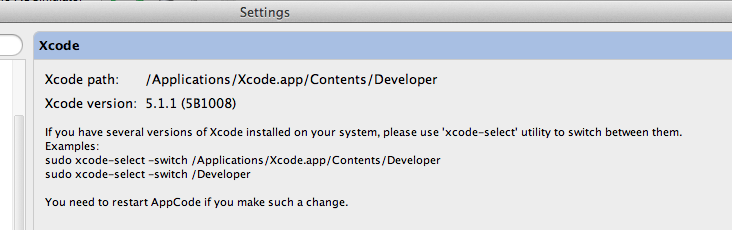

Weirdly I can Click on NSObject and it opens NSObject.h which appears to be under the correct XCode.app in /Applications
AppCode using same XCode
I close AppCode and renamed
/Users/gbxc/Library/Caches/appCode20
to
/Users/gbxc/Library/Caches/appCode20OLD
and restarted it
and whole directory recreated
/Users/gbxc/Library/Caches/appCode20
Still didnt work for the project I was working on and firs a clean single view application.
I had old versions of XCode in my application folder. I moved them to Trash and emptied the Trash.
I renamed the cache folder again and restarted and still same errors.
Weirdly asks me to import objc/NSObject.h so it does find the file just cant compile against it!
And if you create just a new empty project will NSObject be found correctly?
Also check please if smth is set to your Header Search Paths in Project settings.
got it working but had to wipe all settings folders for /appcode20 and do clean install.
Ok. If you see this again check project settings, may be smth is set there.