How to enable JSLint/JSHint plugins in IDEA 13.0

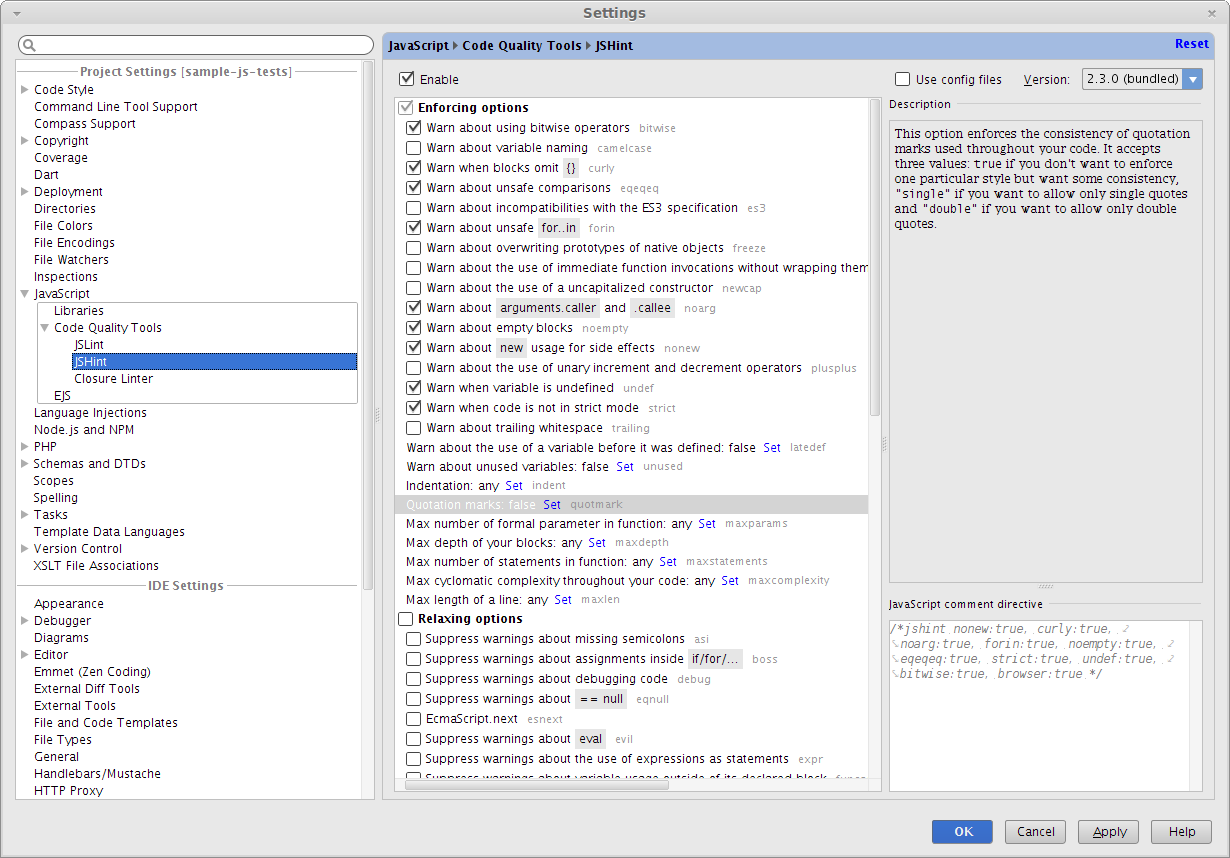
I have recently installed IDEA 13.0 and am not able to see the JSLint/JSHint plugins under IDE settings. the plugin page says it is preloaded with installation. Am I missing something here ?
Is there a way I can dwonload and isntall the plugin from somewhere ?
Attachment(s):
screenshot-idea.jpg

Please sign in to leave a comment.
Hello,
Please make sure you're using IntelliJ IDEA 13 Ultimate Edition.
Also make sure that "JavaScript Support" bundled plugin is enabled (Settings | Plugins).
After that JSHint's settings page should be found atat Settings | JavaScript | Code Quality Tools | JSHint:
And JSLint's page is near it.