How to add artifact to project?

Hello I am trying to add artifact to project.
Here is the code that I use:
ModifiableArtifactModel modifiableArtifactModel = artifactManager.createModifiableModel();
ArchivePackagingElement archivePackagingElement = new ArchivePackagingElement(module.getName() + ".jar");

final PackagingElement<?> moduleOutput = PackagingElementFactory.getInstance().createModuleOutput(module);
archivePackagingElement.addFirstChild(moduleOutput);

final ModifiableArtifact mArtifact = modifiableArtifactModel.addArtifact(module.getName(), JarArtifactType.getInstance(), archivePackagingElement);
mArtifact.setOutputPath(project.getBasePath()+"\\out\\artifacts");
mArtifact.setBuildOnMake(true);

artifactManager.addElementsToDirectory(mArtifact,module.getName(),archivePackagingElement);
modifiableArtifactModel.commit();
This code is placed in Runnable class and called with
ApplicationManager.getApplication().runWriteAction(runnable);
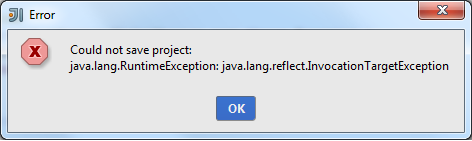
But in result I gon error that in attachement.
No trace no log. Just got this message and nothing more.
What am I doing wrong?
Attachment(s):
error.png
Please sign in to leave a comment.
Hello Roman,
artifactManager.addElementsToDirectory method expects that the artifact is already created and committed (this method creates a
ModifiableArtifactModel inside). You can assign PackagingElementFactory.getOrCreateArchive(mArtifact.getRootElement(), module.getName()+".jar") to
archivePackagingElement instead of creating it directly (ArchivePackagingElement class isn't part of Open API by the way), this will create an archive
node and add it to the artifact root.
--
Nikolay Chashnikov
JetBrains
http://www.jetbrains.com
"Develop with pleasure!"