How to add components in existing intelliJ GUI screens

I am making an open source plugin and I want to add components in the existing interface i.e.
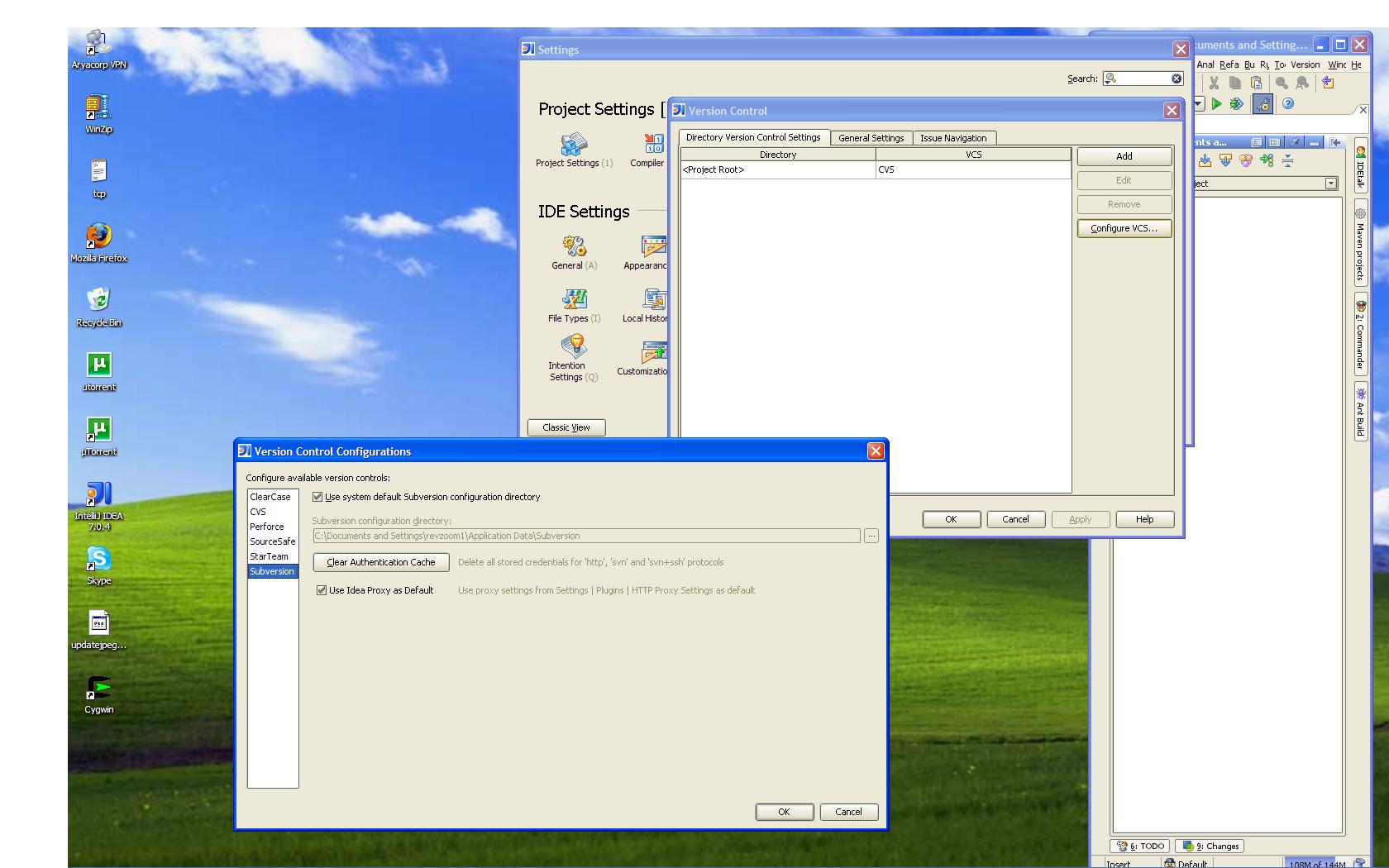
File ---> Settings ---> Version Control ---> Configure VCS (I have attached the screen shot for better understanding)
The screen which opens has on the left names of different VCSs listed and on clicking any of these it opens the settings corresponding to it.
I want to add a new item in this VCS list and also make settings interface for it.
But I'm new to plugin development and am unable to understand from where to access this screen through the openAPI.
Please help as I'm completely stuck here.
Attachment(s):
Screen to be modified.JPG
Please sign in to leave a comment.
Hello Kunjan,
The UI shown in this dialog is the configurable that you return from AbstractVcs.getConfigurable().
--
Dmitry Jemerov
Development Lead
JetBrains, Inc.
http://www.jetbrains.com/
"Develop with Pleasure!"
Hi ,
Thanks for reply. I still have one doubt.
How do I use the UI designer to modify this screen?
For that I think I would be needing something like .form extension file which would be having the GUI stored in it.
Basically, my question is, is there a way by which we can modify the screens already present in the intelliJ interface using UI Designer?
Using actions I am only able to add a new item for which then a separate new GUI Form opens. But what I want to do, like in this case, is to make a new interface screen right inside the Configuration screen i.e. I want that when a user clicks on the name of the new VCS on left panel then in the right panel new components should appear related to the configuration settings of this VCS.
So for that I was thinking of making a new panel containing the configuration settings of my VCS say newConfigPanel.
Then add name of the new VCS in the left hand side list of the Version Control Configuration Screen.
Add an action listener on this list so that whenever someone clicks on the name of my VCS then the right hand panel is cleared and newConfigPanel is added into it.
And I wanted to do it through the UI Designer.
Can you please suggest the best way to achieve this.
Attachment(s):
Screen to be modified.JPG
Hello Kunjan,
OK, let me explain my previous answer in more detail, as it seems like it
wasn't helpful at all.
- Create a new class extending AbstractVcs and register it as appropriate
(either as a project component or through the ]]> extension point).
- Create a new class implementing the Configurable interface with a bound
GUI form.
- Put whatever configuration options you need on the form.
- In the implementation of the getConfigurable() method in your class derived
from AbstractVcs, return a new instance of your class derived from Configurable.
That's how you get your settings to appear in that dialog.
--
Dmitry Jemerov
Development Lead
JetBrains, Inc.
http://www.jetbrains.com/
"Develop with Pleasure!"
Thanks a lot.
It worked great.
Thanks for the detailed explanation.
Well you would have understood how poor my current plugin development skills are, so please don't mind because i'm sure i'm gonna keep you busy with more of such silly queries.