No iOS devices connected to the computer

Hi guys
I'm stuck with this problem since I upgraded my iPad to iOS 9 (and iTunes to 12.3). I'm on a windows 7 x64 machine and using Intellij IDEA version 14.1.5
Everytime I try to debug my as3 project (I'm using latest Adobe AIR 19) on the device, I get the popup telling me that "No iOS devices connected to the computer"
On the command line, "idb.exe -devices" actually lists (!) the device telling me it's connected, but Intellij apparently doesn't see any device
Does anyone encountered this and knows how to fix it?
Thank you
Please sign in to leave a comment.
Can you please try [AIR SDK]/bin/adt -devices -platform ios from the command line and paste its output here?
Hello,
I experience the same issue since few days. I have tried to clean my pc from iTunes completely then tried both the old video card and normal versions of the installer - both with no succes.
Currently IntelliJ doesn't see the device but iTunes and iFunBox can see and interact with it.
This is my result of: [AIR SDK]/bin/adt -devices -platform ios
2015-10-04 14:49:23.924 iIPA.exe[19708:4474] CFNetwork module LOADED!
This is the only line that I get dumped when I call adt.
I have the same message:
2015-10-04 19:52:18 iIPA.exe[5780:fe8] CFNetwork module LOADED!
and that's about it...
This is not an expectd output and it doesn't contain informaton about connected devices.
IDE expects output in the following format:
So the issue is at ADT tool side. Please report it to Adobe if not yet reported.
By the way what is the output of [AIR SDK]/lib/aot/bin/iOSBin/idb -devices?
Hello,
Thanks for the info - I will contact Adobe regarding the issue.
Meanwhile a call to [AIR SDK]/lib/aot/bin/iOSBin/idb -devices returns:
2015-10-04 21:51:06.492 iIPA.exe[18596:1030] CFNetwork module LOADED!
List of attached devices:
Handle DeviceClass DeviceUUID DeviceName
4 iPhone be116f00d6e0c08b083cfb4165a7366ad59dae5f iPhone
Whichs seems like a valid response I believe?
idb -devices returns my Ipad UDID as well
I have found an adobe forum post regarding this (and the fix):
https://forums.adobe.com/thread/1956528
Copy the contents of the attached zip (updated iIPA.exe and idb.exe) to [AIRSDK]\lib\aot\bin\iOSBin and it will work
UPDATE: the app will install from IDEA but you will get an error message sayings that CFNETwork module loaded and the debugger won't start..
Attachment(s):
iOSBin.zip
Hey, thanks for the info!
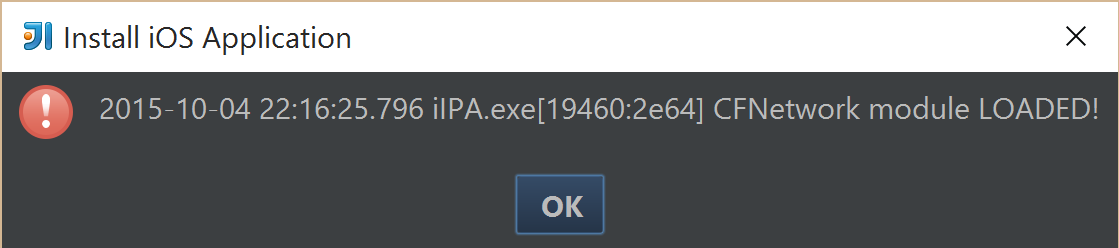
I have tried and I have mixed results :) adb now shows the device and thank god it is installed on the phone when I debug but intelliJ gives me this message and kills the connection (so I can't quite debug):
This is caused by the unexpected output from the ADT tool as well. I hope it will be fixed in AIR SDK soon. If not, I'll add a workaround in IntlliJ IDEA.
Hi guys,
I had same problem which was fixed by attached zip. But Intellij still throws "No iOS devices connected to the computer" when I try to run debug or release version.
Here are outputs from mentioned commands:
c:\Program Files (x86)\Apache Flex\Flex SDKs\AIR19\bin\adt" -devices -platform ios
List of attached devices:
Handle DeviceClass DeviceUUID DeviceName
3 iPad 9bf8ec61e3ac0ebce4269f40cb5ad5e4f1f2f617 Albi
c:\Program Files (x86)\Apache Flex\Flex SDKs\AIR19\lib\aot\bin\iOSBin\idb" -devices
List of attached devices:
Handle DeviceClass DeviceUUID DeviceName
3 iPad 9bf8ec61e3ac0ebce4269f40cb5ad5e4f1f2f617 Albi
Is this result of the same issue or is this something different?
It seems like Adobe has not yet release a fix for this. Is there a simple workaround for IDEA?
Thank you