Breakpoints on Meteor doesn't stop at break

Hi,
I am on WebStorm 11.0.2, Meteor 1.2.1, Chrome 47.0.2526.80m.
In my client-side javascript code for Meteor if I set breakpoints, the breakpoints don't get triggered where I set them. They are being triggered in completely different locations with no breakpoints. How do I fix this behavior? Thanks.
Please sign in to leave a comment.
Try setting remote URLs in javaScript Debug run configuration that is run when you start your Meteor application. For simplest configurations, http://localhost:3000/app for your project root folder would work
Related ticket: https://youtrack.jetbrains.com/issue/WEB-19334
Thank you for the fast reply.
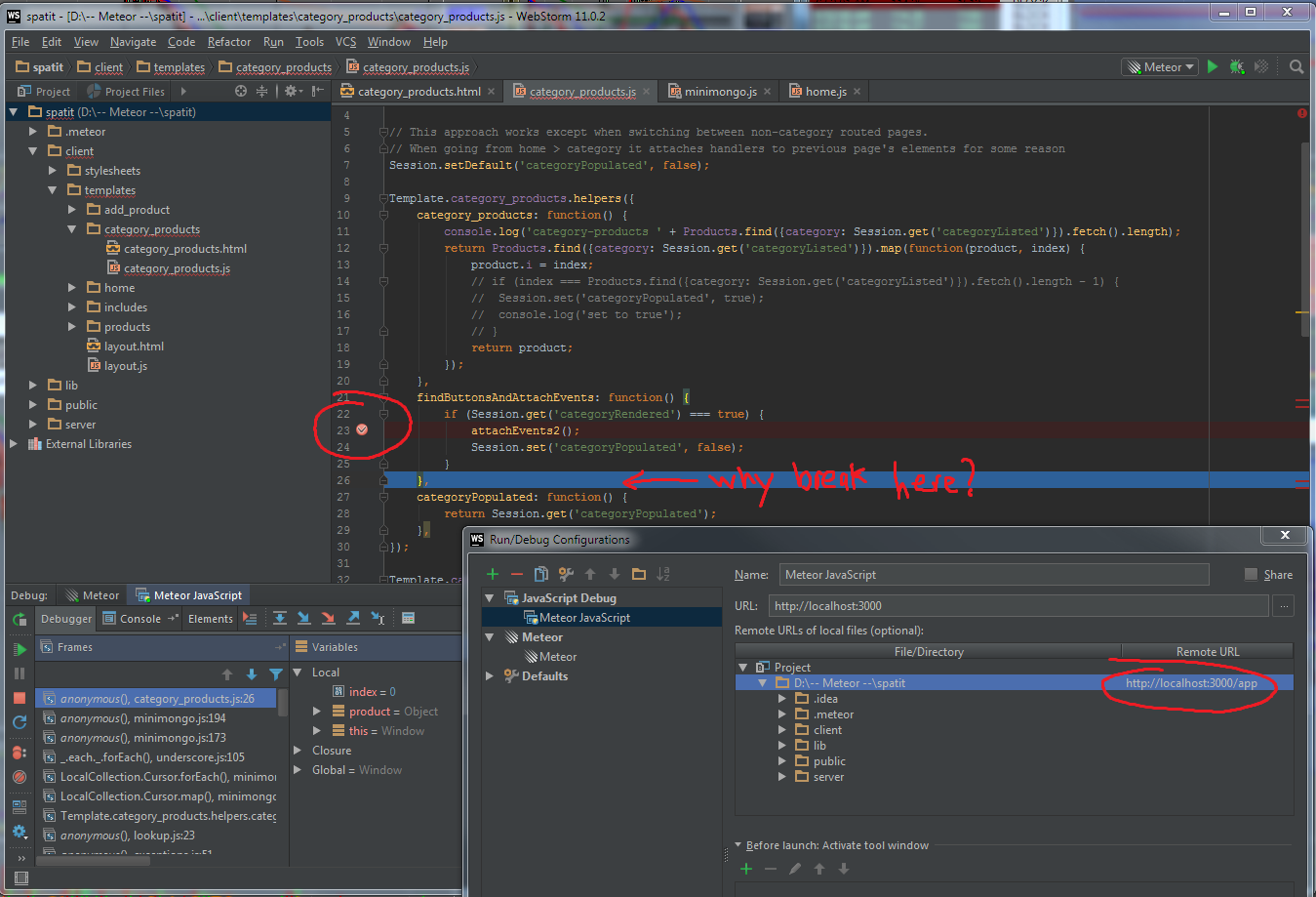
I am not sure I am following your suggestion correctly though. Please see screenshot below. I set the remote URL for the project directory to "http://localhost:3000/app", but as you can see the break is still not triggered at the breakpoint. It is triggered several lines after the breakpoint. Am I supposed to do something else to the remote URL's "/app". Do I actually need a "/app" folder? Thanks for the clarification.
(Click image to expand)
the fact that breakpoint is triggered at all (even on the wrong line) means that mappings are correct; most probably the poisition returned by VM doesn't match actual one... Please follow https://youtrack.jetbrains.com/issue/WEB-19334 for updates - the developer is working on the issue
DITTO ... same problem with Meteor 1.2.1 and WebStorm 11.0.2.
I am running Linux Mint 17.2.