terminal theme

I changed the theme for webstorm but the terminal theme remained the same dark default colours. Is there any way to change the colour scheme of the terminal, preferably without reopening it?
Please sign in to leave a comment.
Terminal colors can be configured in Settings/Editor/Colors&fonts/Console Colors. What editor color scheme do you use? Try choosing the light scheme, or modify the chosen scheme by settings the preferred color to console background
> Terminal colors can be configured in Settings/Editor/Colors&fonts/Console Colors.
That changes the code editor window colors, not the terminal
Can't agree with you on this.
File | Settings | Editor | Colors | Console Colors > Console > Background changes exactly the background of a terminal. Unless you're using some custom terminal environment.
It is also necessary to remember that terminal session colors cannot be changed on fly - you need to close the tab and open it again in order to get the colors propagated.
@Vladimir Luchansky why it is so?
Why e.g. Run or Debug window can be redrawn without closing?
@Mikhail Konovalov because Terminal is an external program that we run and wrap inside the IDE.
THAT's really sad that terminal can't use seaprate theme from editor! Only manual color editing could help.
Using Rider with zsh and custom theme. Unfortunately rider changes color settings for the terminal and the prompt text is unreadable. It will be nice if rider does not change the color settings for terminal.
MacOS Catalina, zsh, oh-my-zsh with default theme, WebStorm 2023.1.2: IDE appearance setting is "Sync with OS", MacOS theme is Dark theme. So native MacOS terminal is in dark mode.
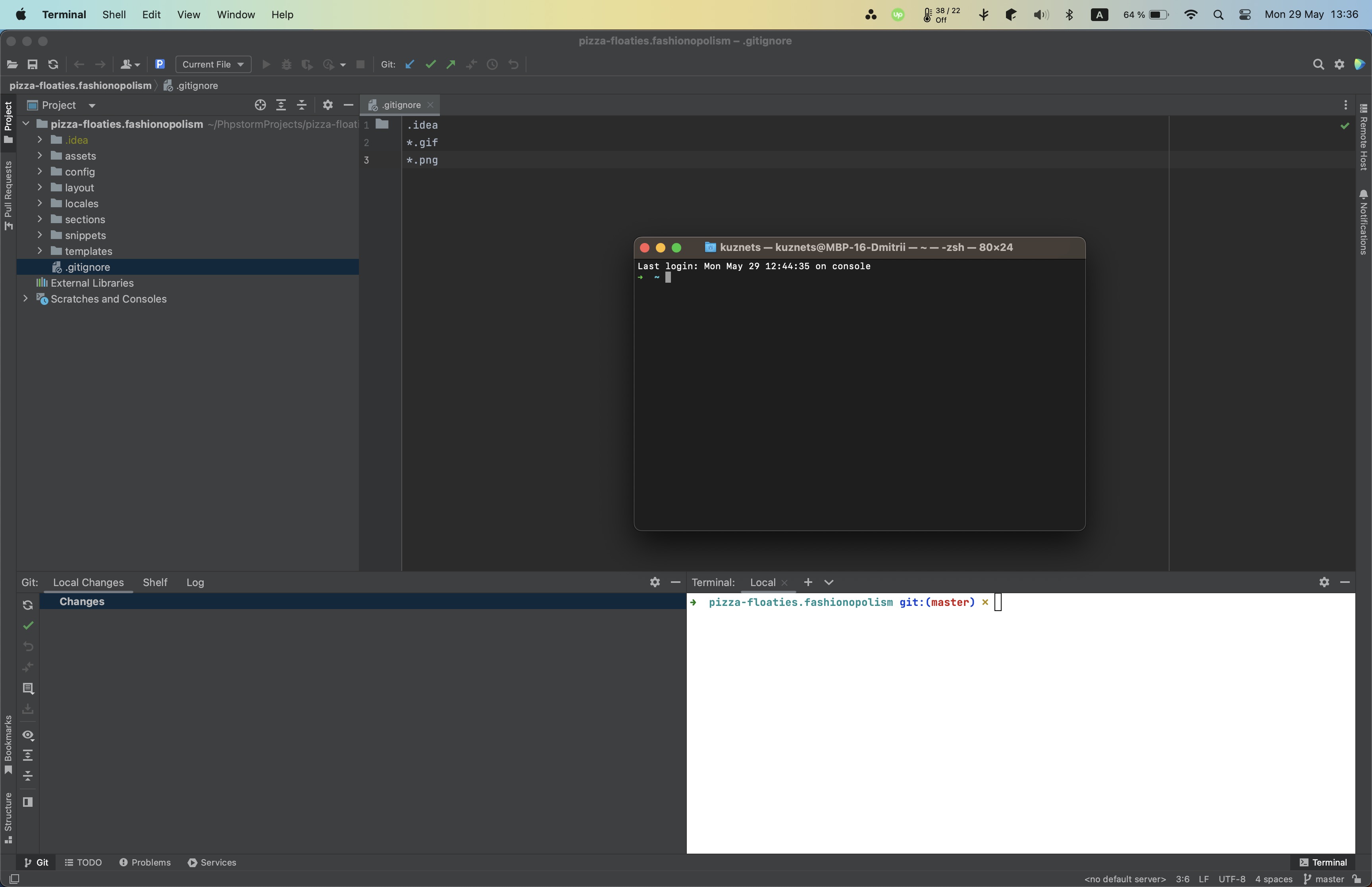
How do I make the terminal inside WebStorm theme match the rest of IDE's theme and my MacOS?
Dmitry, what color scheme do you have specified at Settings | Editor | Color Scheme | Scheme?