Testing your code in browser fast.

I'm new in php world, so excuse me for this may be too easy question:
I've installed phpstorm, got rid of annoying browser icons, unfortunately immediatly stoped working RUN comand.
My target: to launch my code in browser using fast shortcut, but not to see browser icons in the top left corner of coding window.
- Unchecked all browsers in SETTINGS>WEB BROWSERS>... result: stopped RUN comand.
- Used VIEW>OPEN IN BROWSER ... ok but no shortcut abailable to set on this function.
What should I do to make it work?
Please sign in to leave a comment.
Hi there,
Assign custom shortcut to such action?
"Settings (Preferences on Mac) | Appearance & Behavior | Keymap" -- it has search field to quickly find action by name (button next to it -- find action by shortcut).
e.g. "Other | Open in default browser"
yes, I've been there.
Type of action? but not the action itself, so
I can not set a shorcut on it (
Sorry, but I do not understand what you have just said...
There is "Other | Open in default browser" -- you can assign shortcut to it and use to open current file in default browser.
Keymap
|
[Type of action]
-----> action - [SHORTCUT]
-----> action - [SHORTCUT]
-----> action - [SHORTCUT]
|
[Type of action]
-----> action - [SHORTCUT]
-----> action - [SHORTCUT]
-----> action - [SHORTCUT]
|
[Open in browser]
(no action to set a shortcut)
From https://www.jetbrains.com/phpstorm/help/keymap.html
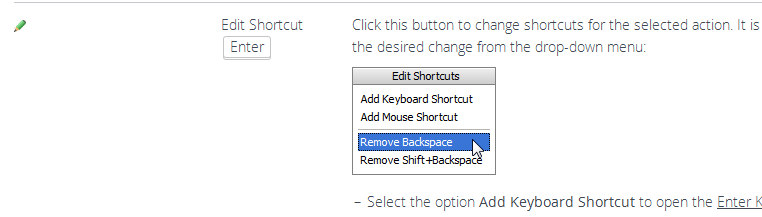
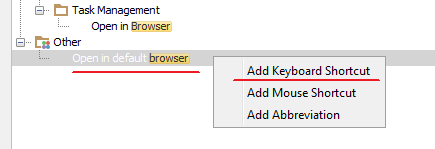
Or just Right click?