Endless indexing with WebStorm 9

I'm using Webstorm 9 and the indexing process seems to be stuck.
At the bottom of the screen it says "Indexing..." to the right of a loading spinner and to the left of a progress bar that is completely progressed. If I click the progress bar, I get a popup for "Background Tasks" that says "Updating indices..." and "Indexing..." above another completely progressed progress bar. Other background processes occasionally happen but they finish after a few seconds.
It has been like this for a couple days. I've restarted the computer. It's still there. I think it might have started after I ran the "Invalidate Caches / Restart..." menu item, but I'm not sure.
It appears for one project but all of them. The total project is 330 MB and 38,000 files. The vast majority are libraries, not my own stuff.
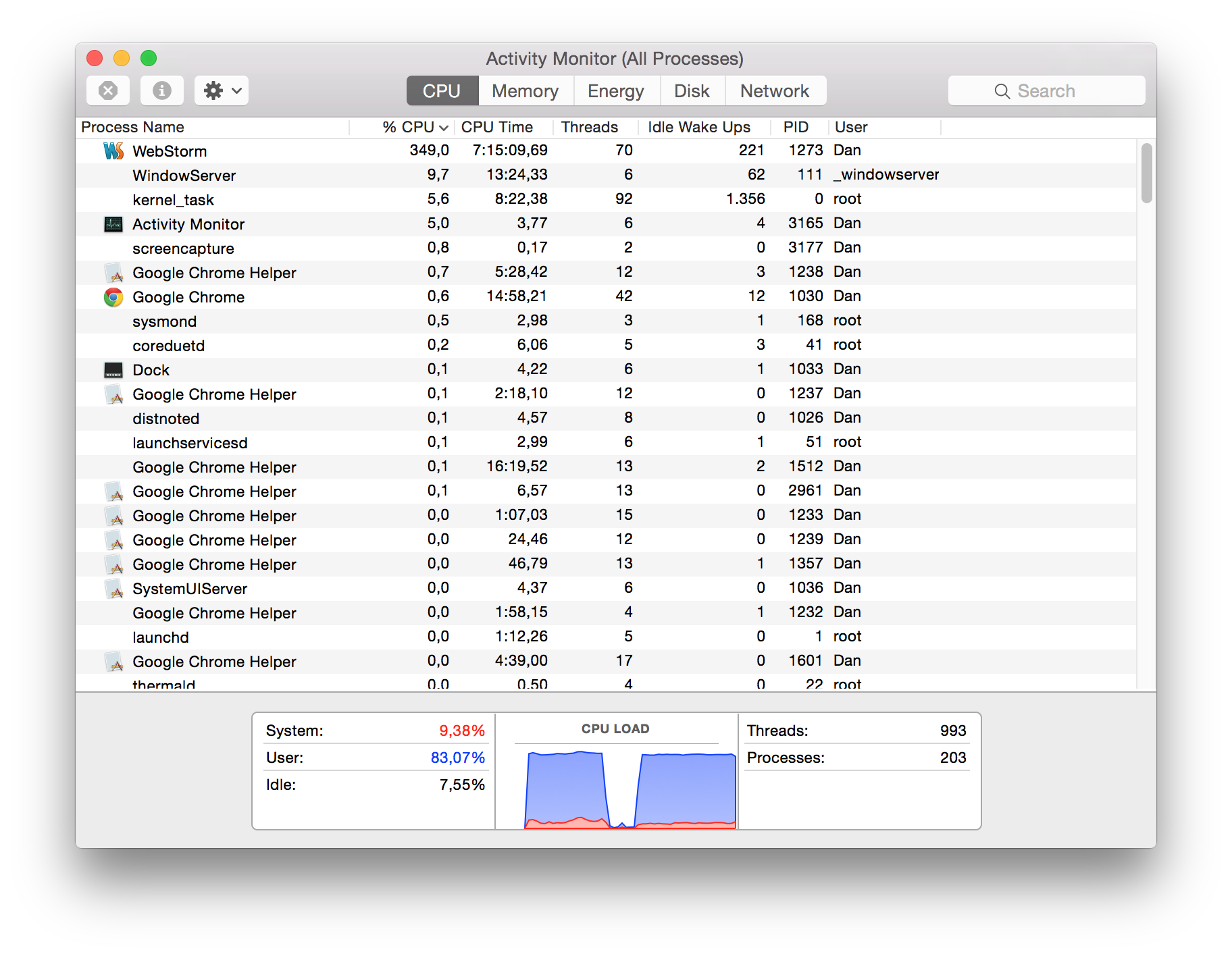
It also gets stuck when I open the parent (10 GB, 1 million files) directory of the stuck one which contains all my projects. According to the progress bar, this one made it about 80% in about an hour, then stopped progressing. At least with this one it seems to be doing something because the computer fan is running.
It slows down my computer. I have a new Macbook Pro with 8 GB of memory and a 256 GB SSD with 160 GB free. Yesterday when the computer was particularly slow WebStorm said I was out of memory and showed me something set to 750 MB. I changed that to 4750 MB and restarted WebStorm. It seems like that fixed the slowdown but the indexing process is still running.
Is this normal? Any ideas? Am I using WebStorm wrong?
Thanks
Dan
Update:
Now the "Removing Files" process is also stuck
I tried deleting a directory and this happened. It also made the "Refactor" menu option disappear for files in this project. So I can't rename files. I clicked the "X" next to "Removing Files" to stop the process and now instead of that being stuck "Stopping - Removing Files" is stuck. The Refactor menu option is still gone.
Update:
The "Stopping - Removing Files" process is no longer running, but the "Refactor" menu item is still missing for both the problematic project and for the parent directory.
The indexing progress bar for the parent directory that had been at about 80% is now back to zero. The one for the child folder that had been 100% is still 100% and "Indexing..." is still displayed.
Attachment(s):
Screen Shot 2015-01-08 at 12.28.06 pm.png
Please sign in to leave a comment.
Please try taking CPU snapshots while indexing - see https://intellij-support.jetbrains.com/entries/29983118-Reporting-performance-problems. Your idea.log might also be helpful.
Do you have any build tools (grunt, gulp, ..) running in background that are watching your files? If so, I'd suggest excluding folders where the generated files are placed from your project. Other folders you don't need to get completion from (auxiliary node_modules, bower_components, etc.) can be excluded as well (Mark directory as/Excluded).
Performance issues may also be caused by large files indexing. There are some ways to turn processing off for large files: