Deployment Mappings and Directories unavailable?

Hi there,
I am a newbie with WebStorm but loving it most of the time.
I have hit a snag though with deploying sites via the inbuilt FTP.
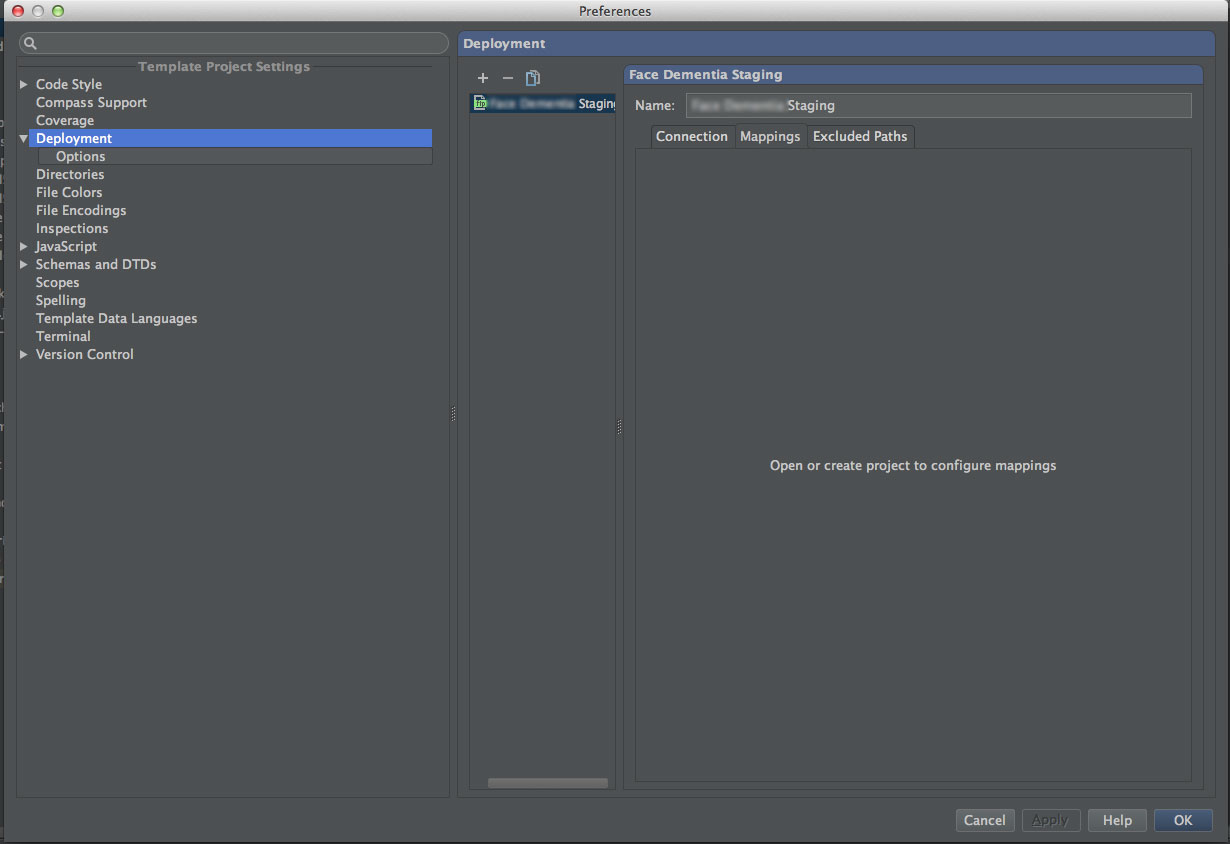
I have added a remote server via File > Default Settings > Deployment and its connects fine. When I try to access the mappings however that tab just says:
"Open or create project to configure mappings" (See attached screenshots...)
I am a bit confused as I am in a project which I created and after reading tthe manual I tried going to the File > Default Settings > Directories tab to check my project is configured but that screen is blank.
Could someone help point me in the right direction so I can sync my local files with a remote server rather than manually updating via my old FTP client?
Attachment(s):
Screen-Shot-2013-12-23-at-01.38.jpg

Screen-Shot-2013-12-23-at-01.37.54.jpg
Please sign in to leave a comment.
Hi there,
This one (pay attention do "Default Settings" part) is actually supposed/expected to be blank (this particular settings page).
The "Default Settings" is to configure project specific settings for future newly created projects only -- it does NOT affect currently opened project(s).
For current project use "Preferences | Directories" instead.
Andriy. You are my hero!