i have some ERROR module.js:442, Please hel me. im newbie on here and bad english

"C:\Program Files (x86)\JetBrains\WebStorm 2016.1.3\bin\runnerw.exe" "C:\Program Files\nodejs\node.exe" server.js --env=test
Loading Initializers: 01_mongodb.js
module.js:442
throw err;
^
Error: Cannot find module 'D:\LAO Online\Webstorm/Initializers01_mongodb.js'
at Function.Module._resolveFilename (module.js:440:15)
at Function.Module._load (module.js:388:25)
at Module.require (module.js:468:17)
at require (internal/module.js:20:19)
at D:\LAO Online\Webstorm\server.js:13:5
at Array.forEach (native)
at Object. (D:\LAO Online\Webstorm\server.js:11:12)
at Module._compile (module.js:541:32)
at Object.Module._extensions..js (module.js:550:10)
at Module.load (module.js:458:32)
Process finished with exit code 1
how to fix it ?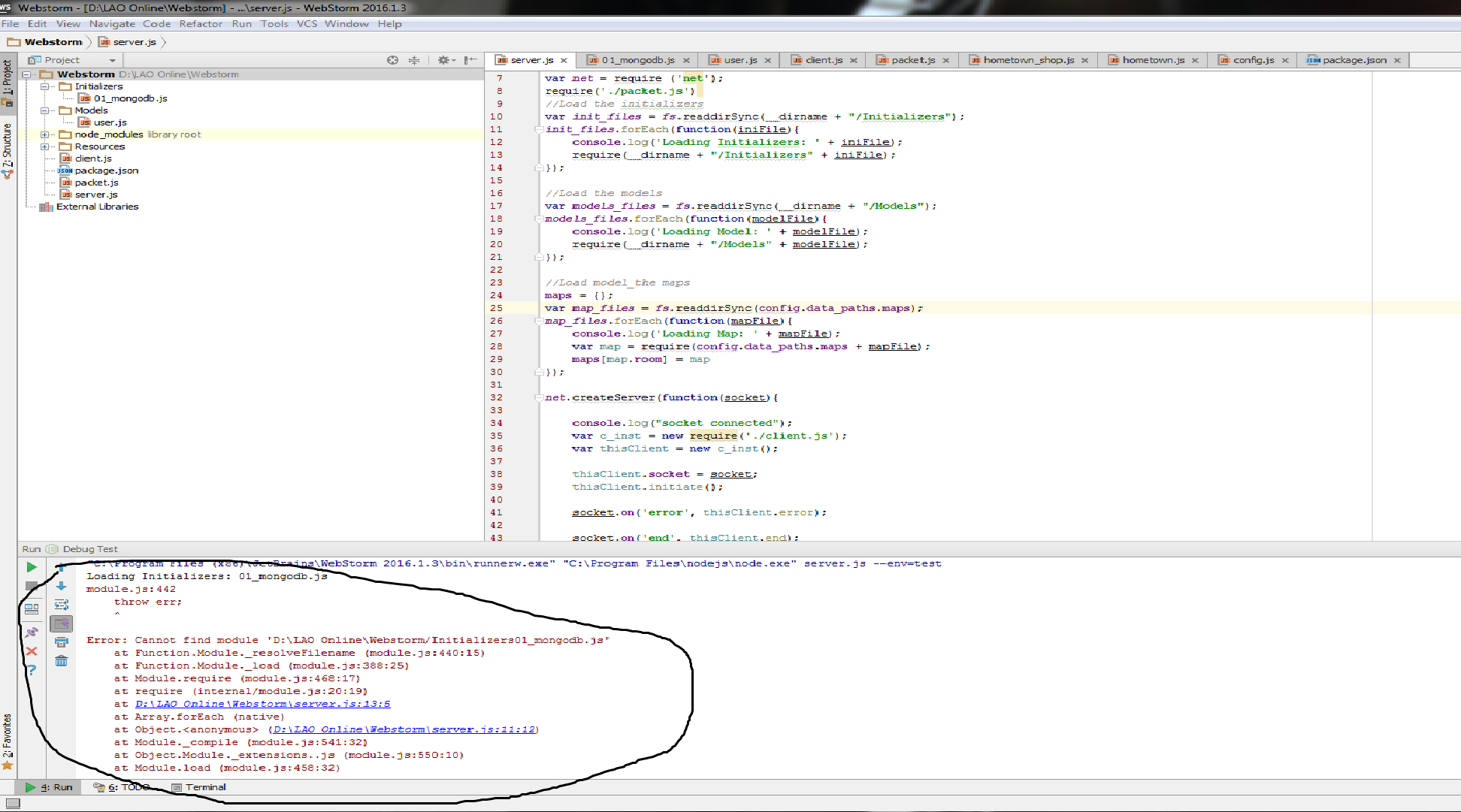
please help me, how to fix it ? I am new at this.
Please sign in to leave a comment.
Hello,
Looks like a backslash is missing in 'D:\LAO Online\Webstorm/Initializers01_mongodb.js'. Please check the paths.
what does a 'require()' call on line 5 of your server.js look like? Seems the slash in path is missing
I try to repeat the write coding, removing javascriptnya. but after I realized, when adding the file he had an error. and strangely this was not a problem at my friend who did the same coding. Please help me. I have also seen the path, no problem.
please provide the project that shows up the issue. It's impossible to figure out the problem by looking at your screenshot. Issue might be anywhere in your code
I do code with my friend in a different laptop, with the same technique. but after kodingnya completed. My friend did not experience any problems. hinggal wrote me up to repeat three times. if this effect with javascript?
thanks for the response, I hope you can help me
sorry, don't understand:( I can hardly help you unless I have a project to look at