Precreating .idea folder

Sorry for the title, I'll renane if I come up with a better name.
I'm creating an internal Maven archetype for my company and I would like to insert some files in the generated project's .idea folder. In particular, I'd put `eclipseCodeFormatter.xml` (used by the “Adapter for Eclipse Code Formatter” plugin) and the associated `eclipse-format.xml`.
So far, I can write those files to the .idea folder after project creation. However, when opening the generated project with IDEA, IDEA does not recognize it is a Maven project. So in the Project view I see this:
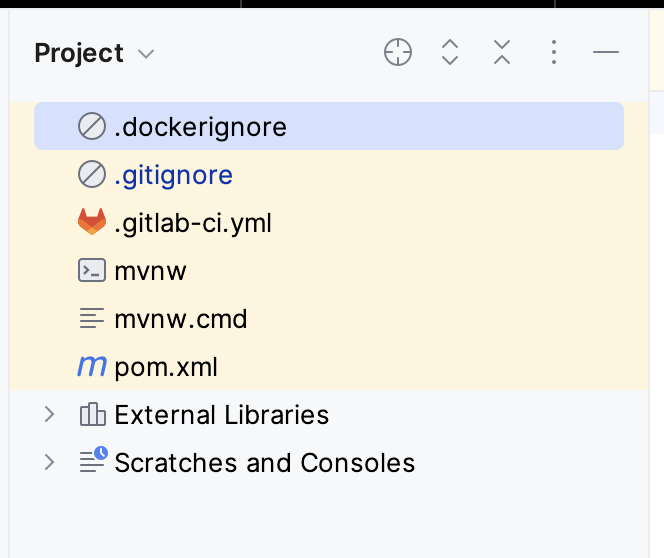
(Actually, for a few seconds I see the full content of the folder, than that.)
If I right click on the pom.xml file, there is no “Maven” entry (I would like to reimport, at least). I also tried closing and reopening IDEA or clearing the cache, but nothing helped. Of course I did not try to delete the .idea folder, since it would defeat my purpose.
Is it expected? (It seems a bug to me.)
Is there a better way to accomplish what I'm trying to do?
Please sign in to leave a comment.
Hello, Antonio!
Thank you for reporting this!
To address the immediate issue, please try the following:
If the issue persists please share the logs (
Help → Collect Logs and Diagnostic Data).Note that you can save existing Projects as Templates, which might also be helpful for your use-case.