Cumbersome setting up of CLion on Windows for C++ development

Hello,
I am a moderately well-experienced C++ developer who has mainly worked with Linux. I have recently found myself in a way compelled to use my Surface Pro 9 as my main machine for local development at home. Initially I decided to use Visual Studio but have been contemplating CLion for some time. Here is what I did :
- I installed CLion ( 2024.3.5 ).
- I created a new personal project. The project uses CMake.
-
It detected the default toolchain without a problem as shown below
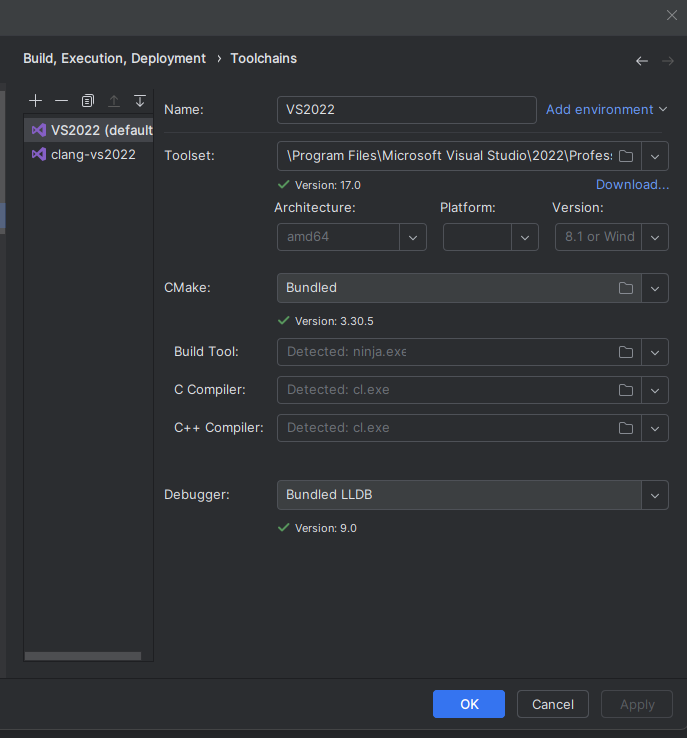
The CMake profile is also something routine as below :

As you can see, I have added a CMAKE_TOOLCHAIN_FILE for the vcpkg which I setup following the official instructions of CLion.
Now, I have a couple of questions but let's start with something elementary. With the steps above, everything should have been okay.
But look at the following snippets and I just can't understand what the problem is.

It identifies the `concepts` header file but highlights `concept` in red and shows that it is undefined.

Here on the left, it gets weird. It identifies the hpp file but does not recognize FloatType and hence all typenames become invalid.
This just should not happen. When I build, Cmake does not show me error. But the IDE shows all these errors which I don't understand.
What is going wrong here ?
Please sign in to leave a comment.
Hello!
Tools | CMake | Reset Cache and Reload Project. Is the project loaded successfully, or do you see any errors in the CMake tool window?same issues here, any solution now? (i use the latest clion 2025.3 and the clangd integrated in it just can't recognize any > C++20 features no matters what toolchain i use, like cl, clang-cl or the MinGW)