Sync failing to recognise transient dependency from POM
Answered

My POM references spring-boot-starter-data-jpa which pulls in a transient dependency jakarta.xml.bind-api.
If I run mvn spring:run it all works fine but if I sync the POM to IntelliJ I see the following and sure enough, when I attempt to debug, it fails because it's missing the classes.
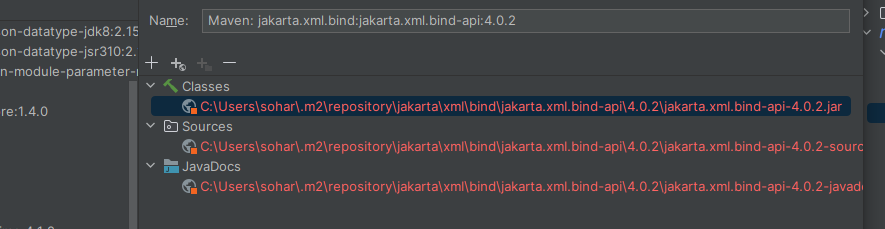
If I manually add the lib to the Libraries section of IntelliJ then it works, until I re-synch from the POM.
This is the only dependency that IntelliJ has a problem with, all others are referenced without any issues.
How can I figure out why IntelliJ doesn't like the path to the jar?
Please sign in to leave a comment.
Hello, Steve!
Thank you for reporting this!
This issue likely indicates IDEA's caches corruption / inconsistency.
Try resetting the caches:
pom.xml-> Open as ProjectIf the issue persists, try deleting the affected dependency from Maven Local and running Maven Sync, so IDEA can download a new copy of it.