Laravel/Vue.js project doesn't recognize the $t() function
Answered

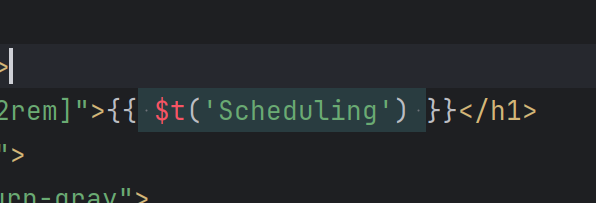
I'm working on a Laravel/Vue.js project with IntelliJ and am running into a bit an issue. IntelliJ isn't recognizing the $t() function that is available through the localization package installed for the Vue js front-end. I've invalidated the project cache a couple times, but it's always red. Ctrl+clicking takes me to the definition in the node_modules folder, and the app works fine using it, but the red is driving me crazy (no yellow or red squiggly lines please).
I've tried setting up a custom .d.ts file, but that didn't help. What's the best way to make IntelliJ recognize the function?
Please sign in to leave a comment.
Please could you elaborate on the errors you have faced? What does the error message look like? What is a result of running
vue-tscfor your project?I don't have any errors, I would just like to have IntelliJ recognize that the $t is a function that exists. Intellij doesn't seem to be picking up d.ts files in node_modules?
The project was boot strapped and mostly maintained use composer and artisan. It looks like `vue-tsc` was not installed as part of the Laravel setup that was used (I didn't setup the project)
Please hover over
$tand take a screenshot of the tooltip that appears.Oh, i did that and forgot to attach it, sorry.
I think I am slowly figuring out what is going on. I don't think I can use ts for my vue components. I don't think the project was setup that way, though i can write Typescript for non Vue view components. There are missing npm packages that seem to be required for integrating Typescript into Vue components. :(
Thank you. The error comes from the Vue language server. It looks like this is more of a vue-side error. Have a look at https://github.com/nuxt/nuxt/issues/28869 etc. for some tips.