Color scheme for imported classes/functions

Hi. In my PyCharm editor, I wanted to make sure that imported classes and functions follow the same color scheme as classes and functions defined within the current file. For example, in my WebStorm editor, imported classes and functions follow the same color scheme as those defined within the current file.

But currently in PyCharm, anything that's imported defaults to the white color. How can I change this behavior? I remember the color scheme worked as intended before, but I can't seem to replicate it.
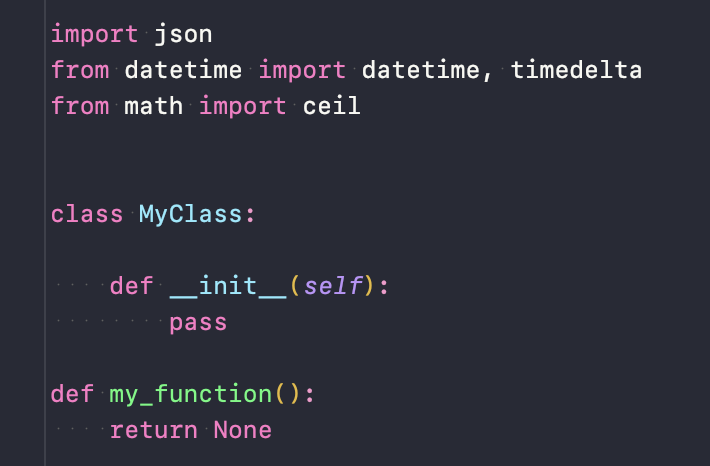
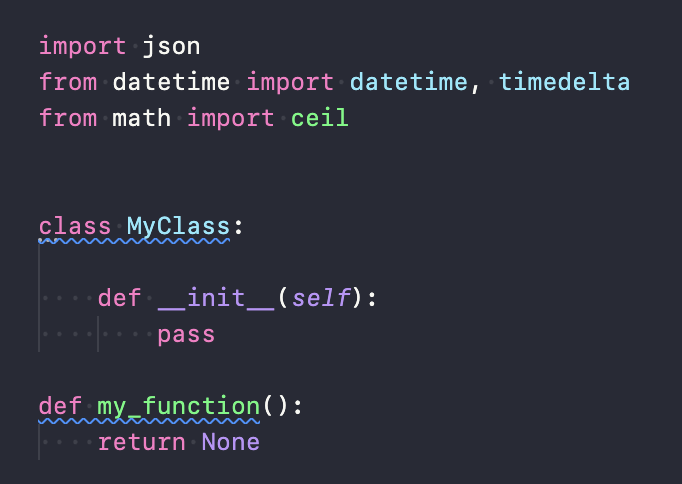
I've tried changing the colors in both the “Language Defaults” and “Python” sections for now, but with no luck. Is there an “Imports” section that I'm not seeing nested somewhere? The images below show would I would like the colors for classes (regardless of whether it's imported or defined in the file).
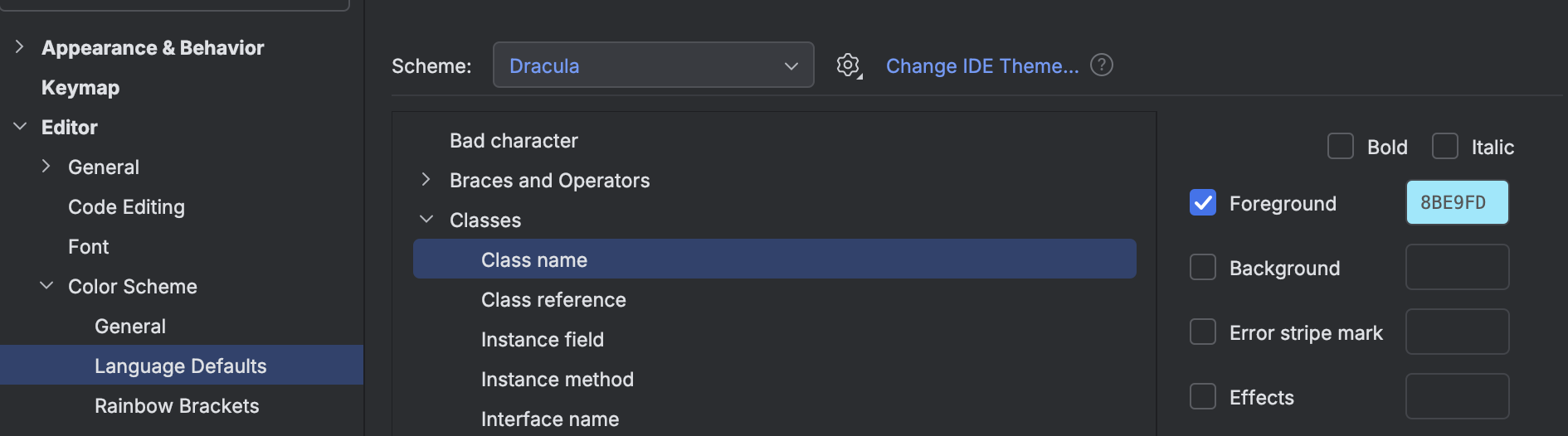

This is what I would like the color scheme to be (VS Code shown below):
Please sign in to leave a comment.
Hello, Arturofonseca2025 ,
PyCharm doesn't have a dedicated color setting specifically for import statements. However, you can enhance their visibility by customizing the font style or color used for keywords, as import statements are generally categorized under this group.
To adjust these settings, navigate to File | Settings | Editor | Color Scheme | Python, and look for categories like Keyword. By modifying their color or font style, you can make import statements more noticeable, even though it's not possible to target them exclusively.
There is a specific feature request to add additional options for the Python color scheme. Please vote for it and add a comment with the code elements you wish to see in the Python elements list. If you are unfamiliar with voting on YouTrack, you may find relevant information in this article.