Disable commit pop-up
Answered

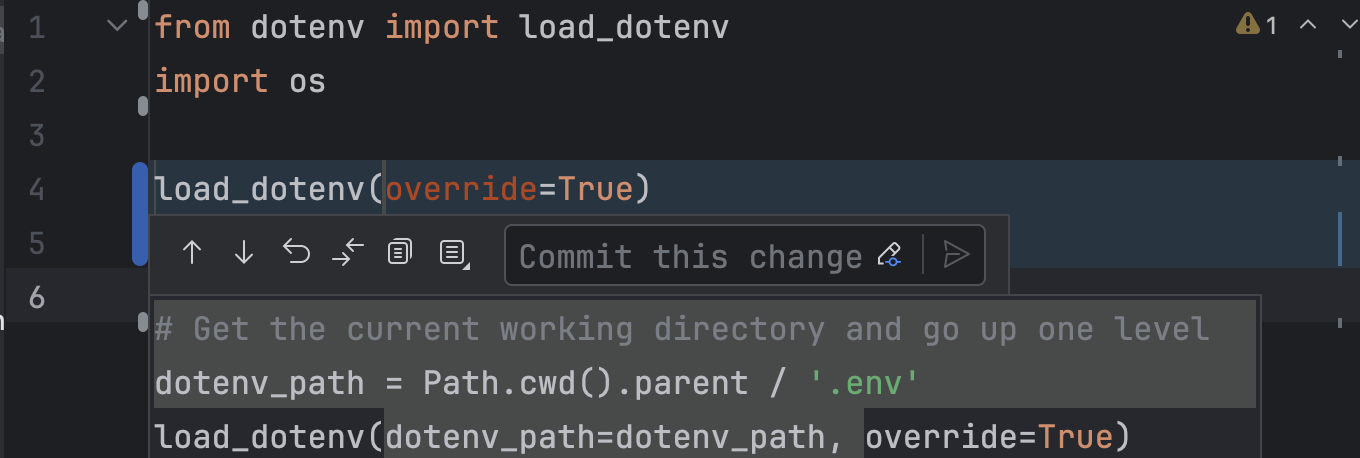
I started to see this popup that lets me commit specific changes - how can I disable this?
Please sign in to leave a comment.
Unfortunately, there is no option to disable this popup. We have a request for it on our issue tracker: https://youtrack.jetbrains.com/issue/IJPL-171519. Please vote for it and follow for progress updates.
It is possible to disable the file modifications highlighting in the editor gutter altogether: Settings (
⌘ + ,orCtrl + Alt + S) > Version Control > Confirmation > Gutter > Highlight modified lines in the gutter.