Show current File path in phpstorm

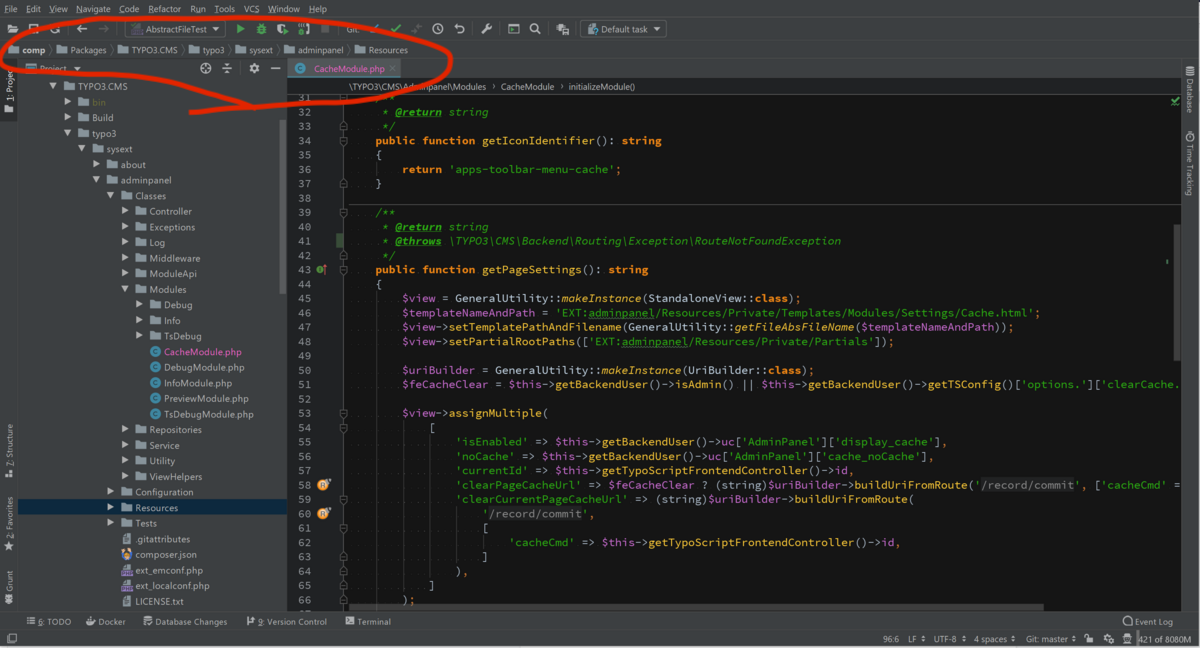
I recently upgraded phpstorm and its been great. But it no longer has the filepath of the file I'm currently editing displayed in the top. If you right clicked on any directory in this path, it would show the contents of that directory. It was in the top bar. I have been searching through settings and searching the web, but can't find anything about this. Is there a setting to bring this back or is it no longer in the IDE?
Please sign in to leave a comment.
Hi!
To move the navigation bar, you can use the View > Appearance > Navigation Bar > Top.
Additionally, we recommend checking out this helpful blog post for detailed instructions on how to bridge the gap between the Classic and New UIs: Bridging the Gap Between the Classic and New UIs.
Ahh thankyou!