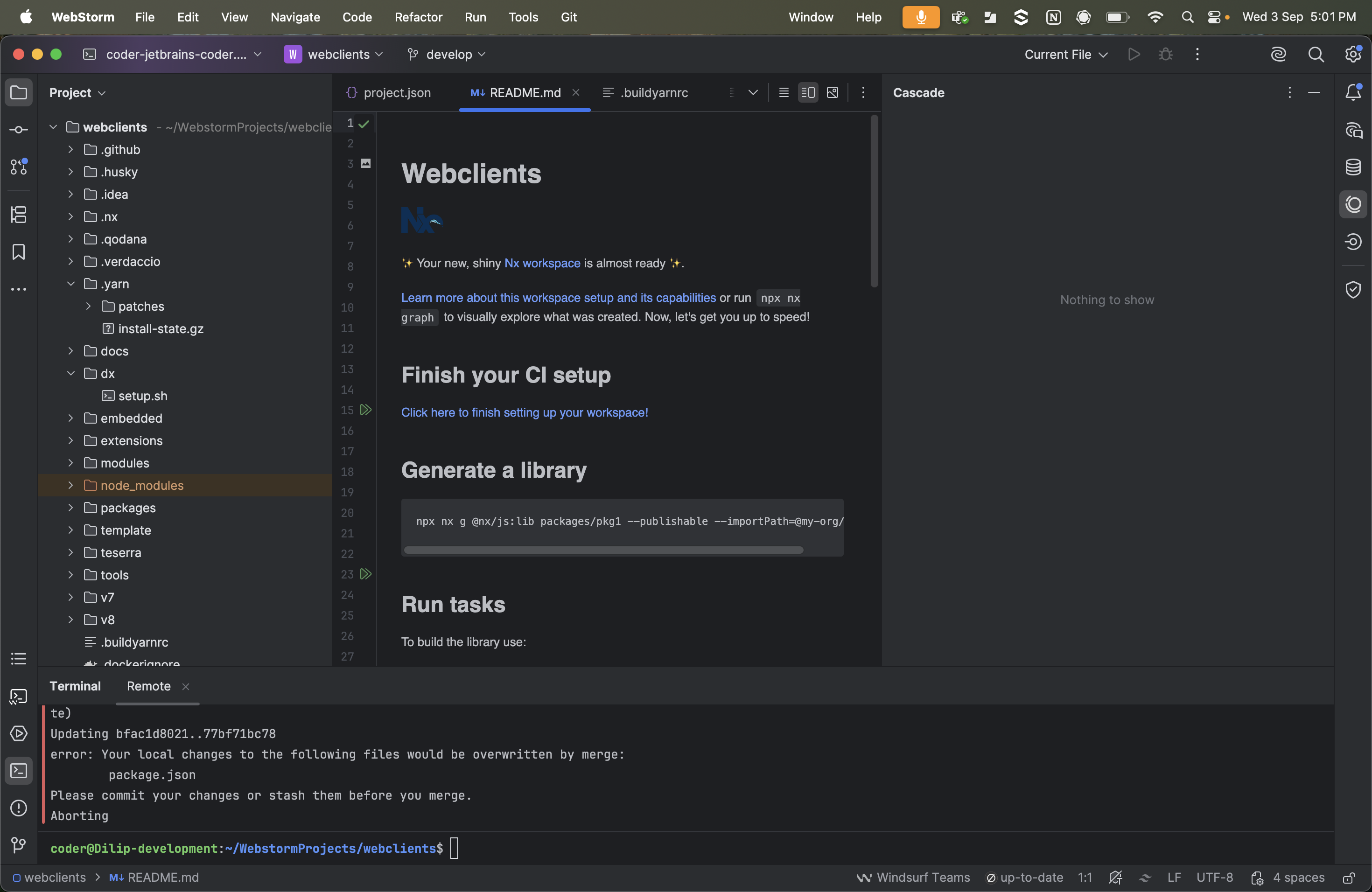
Windsurf plugin in JetBrains Gateway shows “Nothing to show”

Description:
We are using JetBrains Gateway for remote development. Everything else is working fine, but the Windsurf plugin is not functioning properly. The plugin tab always displays the message “Nothing to show”.
Steps Tried:
- Cleared cache
- Reinstalled the plugin
- Reinstalled JetBrains Gateway
Request:
If anyone has faced a similar issue and found a solution, please share the fix or workaround.
Please sign in to leave a comment.
I'd suggest reporting the issue to the plugin vendor, Windsurf, here: https://windsurf.com/support.
What plugin do you have installed, BTW? Is it Windsurf(Remote Development) or Windsurf Plugin? The former seems to be the better choice for using with Gateway.
I had the same issue when I set custom VM option of
```
-Dide.browser.jcef.out-of-process.enabled=true
```
Could be something similar.