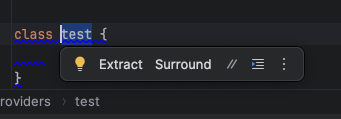
How to disable this annoying popup? Bohdan Created October 15, 2025 19:43 How to disable this annoying popup?

Hi Bohdan,
The floating toolbar can be disabled by clicking on the three dots and selecting the Don't show Toolbar option. It can also be managed in the Settings > Advanced Settings menu. Here is the article in case you need more details: SUPPORT-A-2373.