How do I remove the related symbol popup?

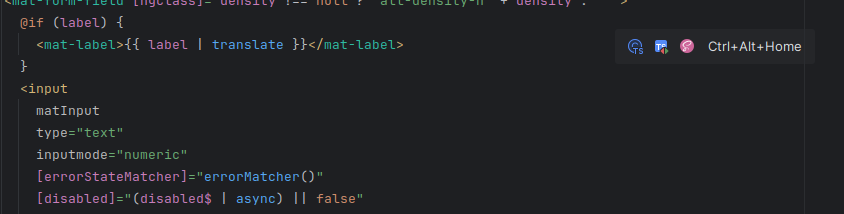
I recently lost all my settings of Webstorm and had to configure my setup from scratch. I removed the browser popup preview, I removed the inlay hints, I removed the sticky lines.
I still have this “related symbol” popup on my editor (the three icons and CTRL+Alt+Home thing on the top right), it's very annoying and totally useless, I can see the related files in my directory. How do I remove it?
Please sign in to leave a comment.
Hi! It's not possible at the moment. We are working on adding an option to disable this popup: WEB-75172. Sorry for the inconvenience.
Thank you for the quick reply, you're the boss. I guess I'll wait for the fix
Please fix this. It inconvenience
In 2025.3 EAP (from 253.28086.39) you can turn it on/off in the settings:
Settings | Advanced Settings | Angular > Show navigation popup in editor.