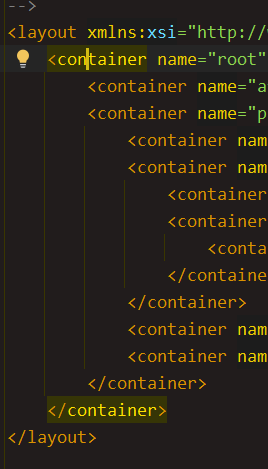
Do you mean changing the color of the highlighted matched tags? If so, go to Settings | Editor | Color Scheme | XML, locate Matched Tag, and adjust the Background color to your preference.
It seems like all color settings except Background, are not being applied in the editor. I have created a new bug report for this issue IJPL-219243, that you can follow to get updates on the progress. If you would like to change the background color, just enable the checkbox next to Background and select the color.

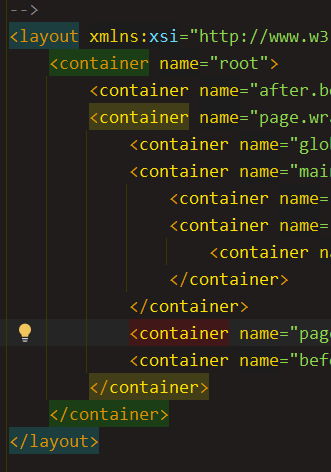
Hi Max,
I was able to achieve that by changing a few settings:
Still in the Settings window:
Please try applying the same settings and let me know if it helps.
Looks like ok, Peter, thanks, but how setup the match pair highlight now?
Hi Max,
Do you mean changing the color of the highlighted matched tags?
If so, go to Settings | Editor | Color Scheme | XML, locate Matched Tag, and adjust the Background color to your preference.
Hi Petar,
Tried to apply the style to the matched tag, but just to remove the bg is available.
Hi Max,
It seems like all color settings except Background, are not being applied in the editor. I have created a new bug report for this issue IJPL-219243, that you can follow to get updates on the progress.
If you would like to change the background color, just enable the checkbox next to Background and select the color.
Hi Petar,
Yes, I can change just the bg.
Looks like I found the bug, but happy to help. The bug is not critical.
Have a good day, Petar