How to set Terminal Fallback Font to Chinese font

WebStorm version 2025.2.5
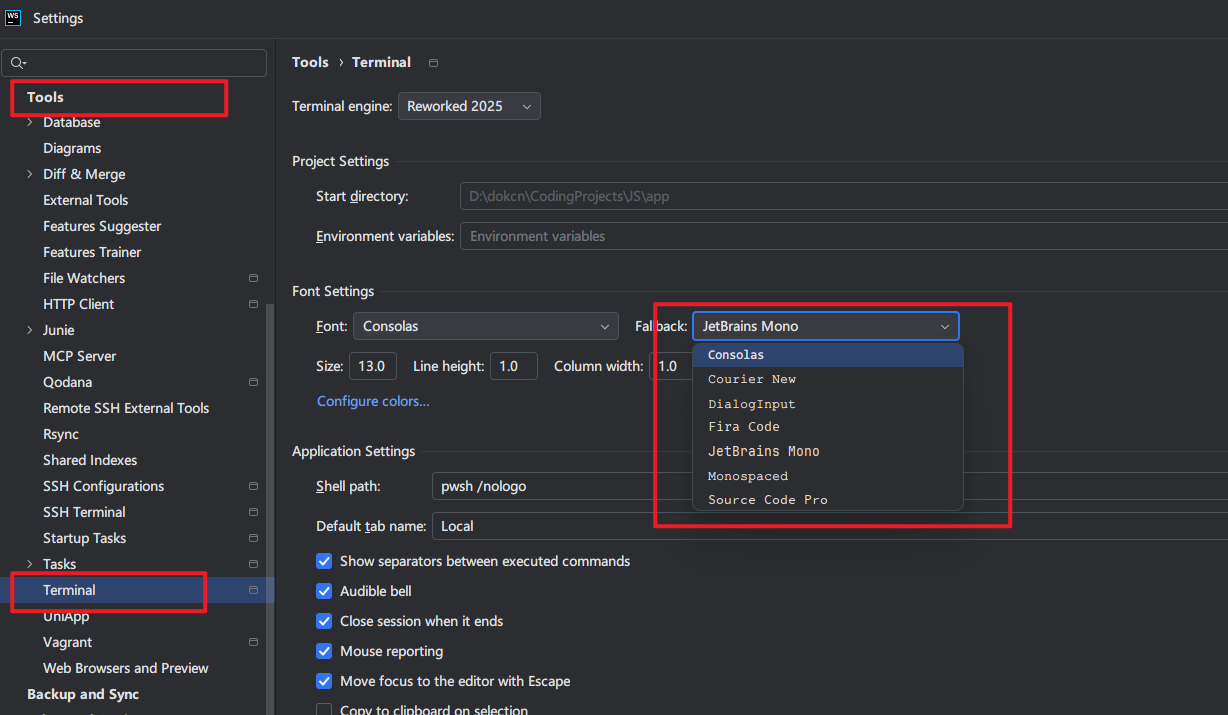
There's no more fallback fonts other than consolas, courier new, dialoginput, fira code, jetbrains mono, monospaced, source code pro. also no ‘show only monospaced fonts’ checkbox which appeared in early versions. I wanno change font in “Terminal” NOT “console font” using in Run panel.
Please sign in to leave a comment.
Hi there, and thanks for contacting JetBrains support.
Some fonts are bundled with the JRE, so if you are using a different JRE than before, that may explain why a specific font is missing. Could you please check what JRE your current IDE is using, and compare it with the one used in the earlier version you mentioned? You can do this by following these steps:
Also, keep in mind that font settings have changed over time. Earlier IDE versions did not have dedicated Terminal font settings. Terminal font settings were inherited from Editor | Color Scheme | Console Font, and there was an option (still present) to show only monospaced fonts. But, since the
2025.1.1release, the Terminal has its own font settings, and the checkbox to show only monospaced fonts was not included. The Terminal can now only display monospaced fonts, which might be another reason why you don’t see the fallback font you are looking for.If your font is visible in Editor | Font but not in Tools | Terminal, it means the font is not monospaced and therefore cannot be used in the Terminal. If the font is missing from Editor | Font as well, then it is most likely not installed on your system.
Please try installing the font, restart the IDE, and check again.
Let me know if any of this helps.
1. Open File | Manage IDE Settings | Export Settings…
2. Press Select None button, and then select TerminalFontOptions option, select the path to export settings.zip, and press OK button
3. Unzip the settings.zip you exported, open options/terminal-font.xml
4. Find the line <option name="SECONDARY_FONT_FAMILY" value="XXX" />, and modify value to the name of font family, i.e., Microsoft YaHei
5.Save the file and repack the zip file, then import it back to IDE
Thank you Zjlmeet. That's a clever trick. But it's worth noting that:
If repack a zip after modifying the font, then import settings, IDE will prompt:
So I edited terminal-font.xml directly in the zip file using 7-zip and it worked.