polluted code completion

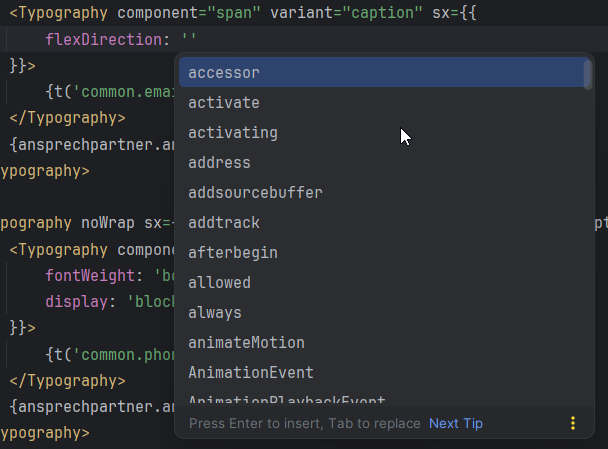
Hello, first few seconds when starting webstorm 2025.3 the list is like on the image attached, and just after everything is loaded the correct options for flexDirection are listed too: row, column etc. how to disable the initial (dumb) options list and just show the correct ones. i tried already everything: disabled code completion, disabled inline completion, disabled ai assistant, disabled any plugin which has something to do with word spelling. i just want to see the typescript-based list, and please dont say i should add there statements like “satisfies …”. i want a global solution. thnak you
bad, i dont want these nonsense:
good, but still with nonsense:

how to get rid of those dumb options in red?
thank you all
Please sign in to leave a comment.
Completion shows string literals found in project here. Showing these suggestions on hitting
Ctrl+Spacewithin quotes is expected, but normally they appear in the bottom of the list, after valid types.If it doesn't work for you, could you share a sample project that reproduces the issue?