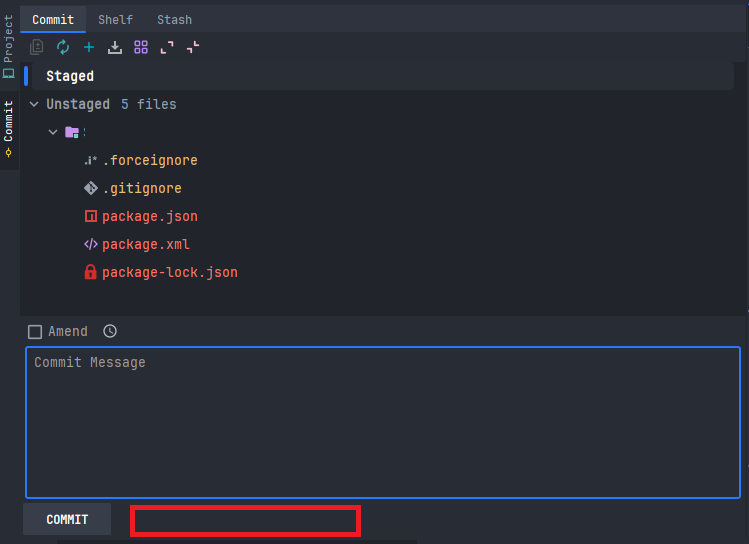
The Commit and Push option has disappeared, and I don't know where to enable it.
Answered

Hi everyone,
Commit and Push should be in the selected location. This option is available in other projects, but it is missing in this one and I don't know how to restore it.
Has anyone had a similar problem?
Please sign in to leave a comment.
Hello,
Thank you for contacting JetBrains Technical Support.
Could you please update your IDE to the latest version and check whether the issue still occurs?
Additionally, please try disabling all non-bundled/downloaded plugins temporarily.
The most likely reason the button is missing is that your local Git repository doesn't have a Remote (a link to GitHub, GitLab, etc.) configured. Without a destination to "Push" to, the IDE hides this action. However, in the new version of IDEA, I can't hide the "Commit and Push" button at all, even after removing the remote repository.
Could you please check Git -> Manage Remotes?
Also, I was unable to reproduce the missing button even in "Detached HEAD" mode because the New UI still shows this button
Please let me know how it goes for you after updating!
Warm regards,Elina
Elina Burkhanova thank you so much. Problem was triggering by this extension https://plugins.jetbrains.com/plugin/24468-classic-ui . After disable extension, missing button come back.