Cannot Debug Node After Version Upgrade

Hi all,
I've upgraded my app's node version to 24.12.0 (was 22), and now when I try to debug my code, instead of hitting my breakpoints, it just switches to the Threads & Variable panel, and it seems like it's debugging an thread or something I cannot explain. When I try to continue the code, nothing really happens…
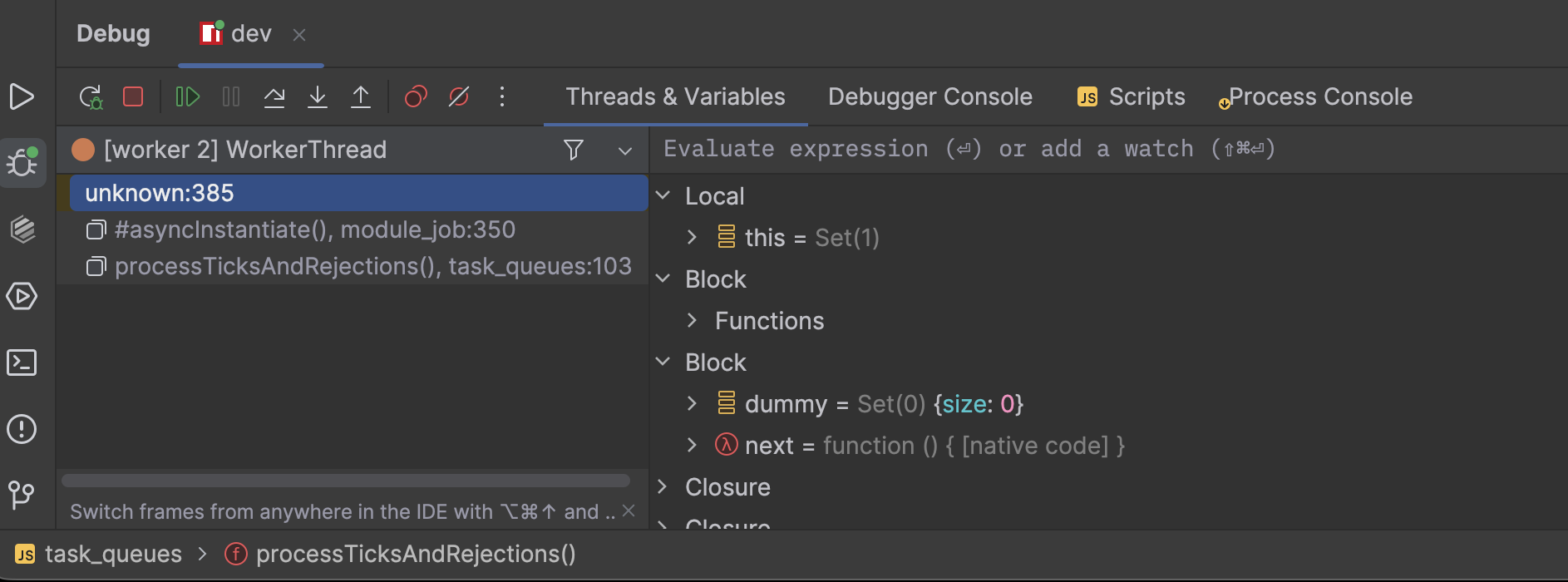
These are the settings I have:
JavaScript Runtime
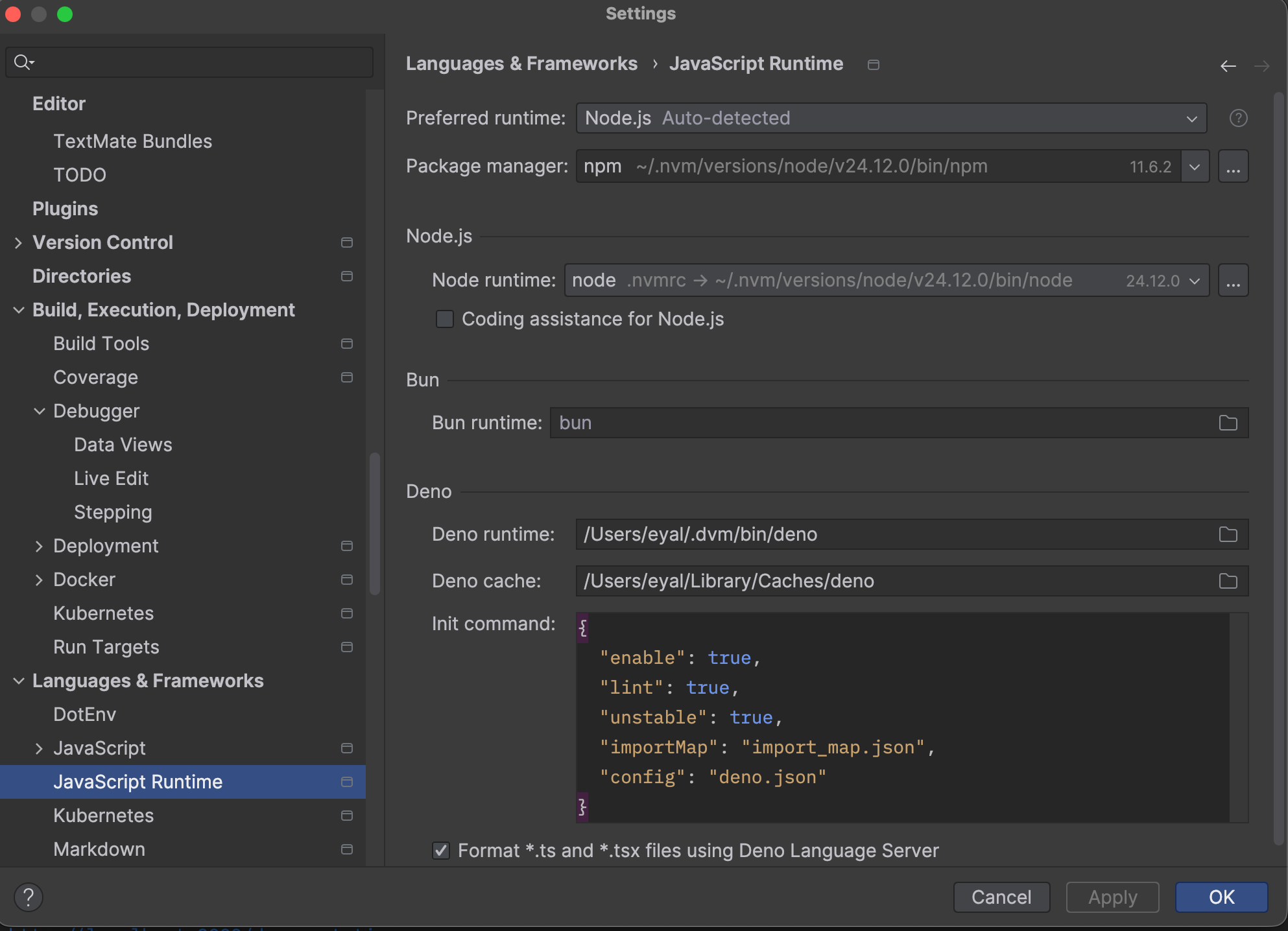
TypeScript Settings

Run Configuration
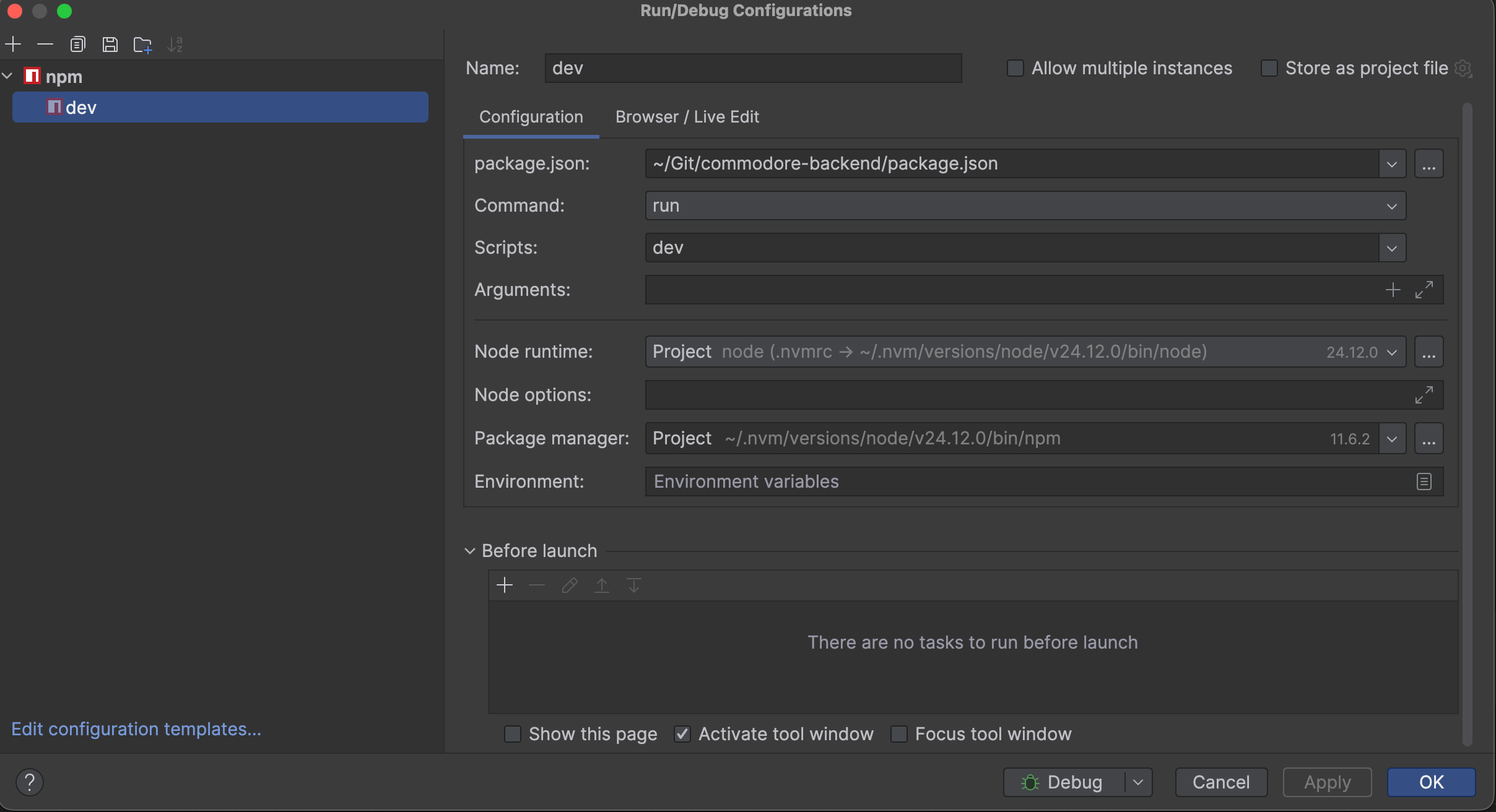
How do I fix it so I can debug my code?
Thanks,
Eyal
Please sign in to leave a comment.
Hi Eyal,
unfortunately I failed to reproduce the issue using the similar setup. Do you have a sample project you can share where the problem is repeatable for you?
No, but this is my package.json can this help?
{"name": "commodore-backend","version": "1.0.0","description": "XXXXXX","type": "module","main": "dist/index.js","scripts": {"build": "tsc","test": "vitest --run","test-ui": "vitest --ui","dev": "tsx watch src/index.ts","start": "tsc && node dist/src/index.js","lint": "eslint . --ext .ts","format": "npx prettier . --write","load-test": "./load-tests/run-load-tests.sh simple","load-test:smoke": "./load-tests/run-load-tests.sh smoke","load-test:rate-limit": "./load-tests/run-load-tests.sh rate-limit","load-test:full": "./load-tests/run-load-tests.sh full","load-test:stress": "./load-tests/run-load-tests.sh stress","load-test:extreme-stress": "./load-tests/run-load-tests.sh extreme-stress","profile:doctor": "npm run build && clinic doctor -- node dist/src/index.js","profile:flame": "npm run build && clinic flame -- node dist/src/index.js","profile:bubbleprof": "npm run build && clinic bubbleprof -- node dist/src/index.js","profile:heap": "npm run build && clinic heapprofiler -- node dist/src/index.js"},"keywords": ["fastify","typescript","api","rest","esm"],"author": "Eyal Ringort (eyal@emcie.co)","license": "ISC","dependencies": {"@eslint/json": "^0.14.0","@fastify/cookie": "^11.0.2","@fastify/cors": "^11.0.0","@fastify/formbody": "^8.0.2","@fastify/jwt": "^9.1.0","@fastify/oauth2": "^8.1.2","@fastify/sensible": "^6.0.3","@fastify/swagger": "^9.4.2","@fastify/swagger-ui": "^5.2.2","@fastify/type-provider-typebox": "^5.1.0","@opentelemetry/api": "^1.9.0","@opentelemetry/auto-instrumentations-node": "^0.62.2","@opentelemetry/exporter-metrics-otlp-http": "^0.203.0","@opentelemetry/exporter-trace-otlp-http": "^0.203.0","@opentelemetry/instrumentation": "^0.203.0","@opentelemetry/instrumentation-fastify": "^0.52.0","@opentelemetry/instrumentation-http": "^0.203.0","@opentelemetry/instrumentation-mongoose": "^0.50.0","@opentelemetry/instrumentation-pino": "^0.43.0","@opentelemetry/resources": "^2.0.1","@opentelemetry/sdk-metrics": "^2.0.1","@opentelemetry/sdk-node": "^0.203.0","@opentelemetry/sdk-trace-node": "^2.0.1","@opentelemetry/semantic-conventions": "^1.36.0","@opentelemetry/winston-transport": "^0.14.1","@sinclair/typebox": "^0.34.33","@types/lodash": "^4.17.20","@types/qs": "^6.9.18","@zodyac/zod-mongoose": "^4.1.0","ajv": "^8.17.1","ajv-formats": "^3.0.1","ajv-keywords": "^5.1.0","argon2": "^0.44.0","awilix": "^12.0.5","axios": "^1.13.2","bcryptjs": "^3.0.2","dotenv": "^16.4.7","fastify": "^5.2.1","fastify-plugin": "^5.0.1","http-status-codes": "^2.3.0","lodash": "^4.17.21","mongoose": "^8.12.2","mongoose-lean-virtuals": "^1.1.0","pino": "^9.14.0","pino-pretty": "^11.3.0","prom-client": "^15.1.3","qs": "^6.14.0","rotating-file-stream": "^3.2.7","stripe": "20.0.0","supertest": "^7.1.0","type-fest": "^4.40.1","uuid": "^11.1.0","winston": "^3.17.0","winston-daily-rotate-file": "^5.0.0","zod": "^3.25.76","zod-to-json-schema": "^3.24.6"},"devDependencies": {"@eslint/js": "^9.25.1","@types/cookie-signature": "^1.1.2","@types/jsonwebtoken": "^9.0.10","@types/node": "^24.0.0","@types/uuid": "^10.0.0","@typescript-eslint/eslint-plugin": "^8.31.0","@typescript-eslint/parser": "^8.31.0","@vitest/ui": "^3.2.4","clinic": "^13.0.0","cookie-signature": "^1.2.2","eslint": "^9.25.1","eslint-config-prettier": "^10.1.2","eslint-plugin-prettier": "^5.2.3","globals": "^16.0.0","jsonwebtoken": "^9.0.2","prettier": "^3.6.2","testcontainers": "^10.26.0","ts-node": "^10.9.2","tsx": "^4.19.3","typescript": "^5.9.3","typescript-eslint": "^8.31.0","vitest": "^3.1.1"},"engines": {"node": ">=24.12.0"}}I managed to fix/have a workaround
I added this to the
package.jsonfile:"debug": "tsc && node --watch --inspect dist/src/index.js",And when running
npm run debugit does stop at the breakpoints.Here is a summary of what I and Claude Code figured out:
Root Cause
The issue wasn't actually Node.js 24.12.0 - it was the combination of:
1. tsx runtime transpilation - tsx transpiles TypeScript on-the-fly in memory
2. Dynamic imports - Your app uses await import() for lazy loading modules
3. Complex bootstrapping - OpenTelemetry instrumentation loaded before application code
4. WebStorm's debugger - Couldn't reliably map in-memory source maps to breakpoints in dynamically loaded modules
When you debug with tsx, it generates source maps in memory that WebStorm's debugger struggles to correlate with your TypeScript files, especially when modules are loaded dynamically after the initial execution.
Why It Seemed Like a Node.js Issue
The working test project had:
- Simple, synchronous code (no dynamic imports)
- No instrumentation or complex bootstrapping
- Same tsx version worked fine there
This made it appear Node-version related, but the real difference was code complexity, not Node.js.
The Fix
Changed from:
"dev": "tsx watch src/index.ts" // Runtime transpilation
To:
"debug": "tsc && node --watch --inspect dist/src/index.js" // Compile first, then debug
Why this works:
1. tsc compiles TypeScript to JavaScript with static .map files on disk
2. Node.js's --inspect debugger reads these source map files
3. WebStorm can reliably map breakpoints from .ts → .js via the .map files
4. No runtime transpilation magic interfering with the debugger
Bottom Line
tsx is great for development, but for debugging complex apps with dynamic imports, compile-then-debug is more reliable than runtime transpilation.
Elena Pogorelova Should I open a bug on this issue?
It works for me when using
tsx:A sample project that reproduces the issue would be helpful.
I believe that this is Node.js + TSX issue, like https://github.com/privatenumber/tsx/issues/506
TSX is known for issues with dynamic imports as well: https://github.com/privatenumber/tsx/issues/499
Hi,
It's weird that TSX started having issues with dynamic imports only when I upgraded to Nodejs 24.12.0.
At least I found a way I can work for now.