IntelliJ "Invalidate Cache" window is not resizable on Ubuntu
Answered

IntelliJ “Invalidate Cache” window is not resizable on Ubuntu, while some of the options are buried, making them inaccessible.
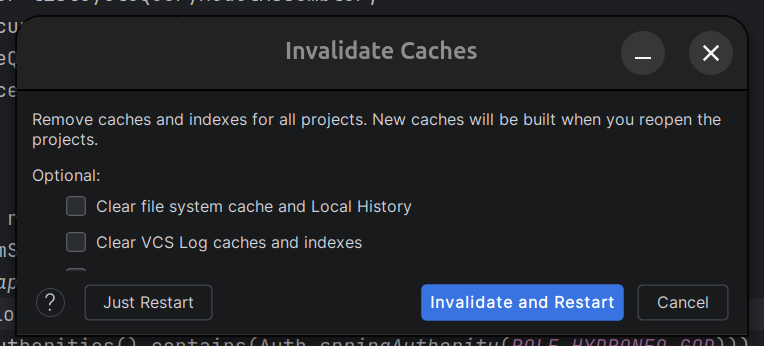
In fact, some other windows are also non-resizable, for example this about window:
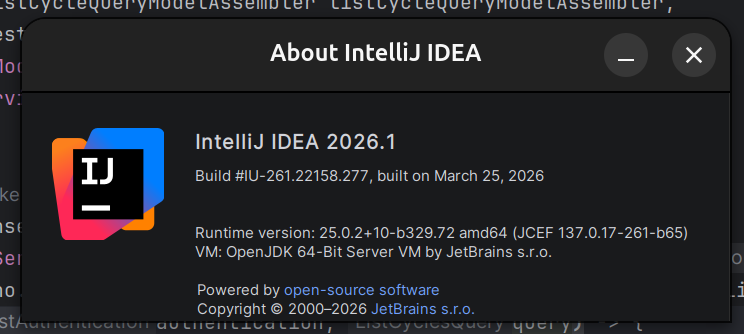
I'm running a Ubuntu 24.04.4 (Noble)
Please sign in to leave a comment.
Hi uncleqrow, did you start experiencing this issue only after updating to 2026.1?
I am asking because starting from version 2026.1, IntelliJ-based IDEs run natively on Wayland in supported desktop environments, which may affect window behavior.
Since the About dialog is not very usable right now, you can confirm which mode the IDE is currently running in from the
idea.logfile. You can open it using Help | Show Log in Files, then search for:INFO - #c.i.p.i.b.AppStarter - toolkit: sun.awt.wl.WLToolkit— this means the IDE is running on WaylandINFO - #c.i.p.i.b.AppStarter - toolkit: sun.awt.X11.XToolkit— this means the IDE is running on X11You can try switching to the other mode via Help | Edit Custom VM Options by adding one of these lines:
-Dawt.toolkit.name=XToolkit— to switch to X11-Dawt.toolkit.name=WLToolkit— to switch to WaylandThen restart the IDE and let me know whether it makes any difference.
Not working. My IDE is already running on X11 apparently, and Wayland wont even run. So the window is buggy EVEN on X11
uncleqrow, do you use multiple monitors, and does the issue persist if you switch to a single monitor?
We have seen cases where non-bundled plugins can cause this, so please try disabling them via Settings | Plugins | ⚙ | Disable all downloaded plugins.
If that does not help, could you collect the logs via Help | Collect Logs and Diagnostic Data and upload them to https://uploads.jetbrains.com/? Once done, please share the upload ID here.
uncleqrow, thanks.
Dialogs like Invalidate Caches and About are not resizable, but all text should still be displayed correctly.
Do you have a custom font size or a zoom level above 100% set under Settings | Appearance and Behavior | Appearance? If so, does reverting to the default values (13px font size and 100% zoom) resolve the issue?