Command popup on CLion 26.1 remote development
Answered

Hi all,
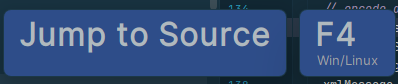
I just updated to CLion 26.1 and I started to see these sort of pop ups when I press any command keys (like F4 in this example). Is there a way to turn this off?
Thanks,
Antonio
Please sign in to leave a comment.
Hello!
Looks like Presentation Assistant. Please try disabling it in File | Settings | Appearance & Behavior | Presentation Assistant.
Thank you Anna, unfortunately none of the options in that dialog box where selected, that would be the right answer, thanks for point it, but it did not work for me. In the end I reset the IDE to the defaults and that fixed it.
Thanks!