Update with Vanishing Browser Buttons

Hello, I've been using WebStorm for my HTML class but I've found myself missing a few things on my last couple of assignments.
When I first got the software it worked perfectly fine but I received a message a few weeks ago that it would update. Everything has been relatively the same after the update expect for one thing that's become quite crucial.
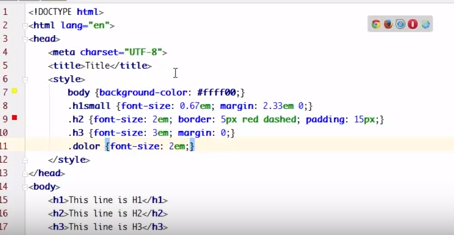
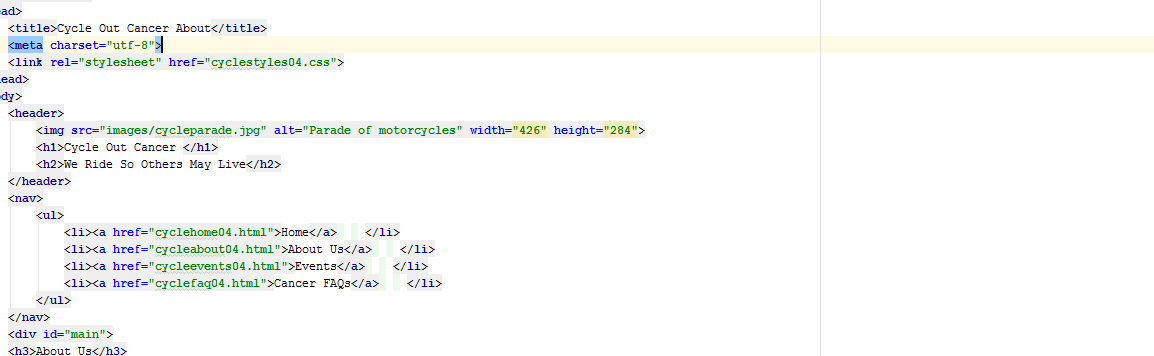
The floating menu in the upper right to load HTML in browsers has vanished. No matter what I do I can't get it to come back up. I've been looking if there's another method to load the HTML to browsers but can't find any. Here's some pics before and after.
Before
After
I'm mostly trying to load in Chrome. I've reinstalled the program, ran a scan to look for abnormal code within the program, selected Chrome as my only browser under tools and tested WebStorm with newly made HTML pages as well as older ones that originally had no problems opening in a browser. I'm frankly at a loss now because I can't test the pages I built for my upcoming exam.
Any help would be appreciated. If I'm missing something obvious please point it out.
Please sign in to leave a comment.
https://youtrack.jetbrains.com/issue/WEB-30755 is fixed in 181.3353, the most recent EAP (https://www.jetbrains.com/webstorm/eap/) includes the fix