Multiple module project - root directories no longer showing
Answered

I have a project which contains multiple modules. Each module is a sub-directory of the main directory (which contains the '.idea' and 'out' directories). However, I do not see the '.idea' and 'out' directories anymore in the Project pane. How do I get those directories to show?
Please sign in to leave a comment.
Hello,
Do you have "Show Excluded Files" option enabled in project tree (you could fing it under grey gear in project tool window)?
Yes, I am showing excluded files. The '.idea', 'out', and modules directories are all sub-directories of the parent project directory.
Could you please attach screenshot of your project tree tool window?
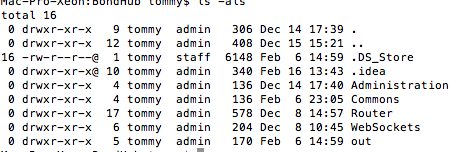
Project directory contents...
Project tree tool...
Looks like it's a problem with modules in "Empty" project. I reported issue on YouTrack: https://youtrack.jetbrains.com/issue/IDEA-187011. Please follow it for updates.