Mac/MAMP Pro - Stuck on "waiting on incoming connection with ide key XXXX"

Env: macOS High Sierra 10.12.3, MAMP PRO, PHP 7.1.12, Xdebug 2.5.0
I have a WordPress install that I'm trying to get up and running on PHPStorm. I tried following this tutorial and it didn't work out too well. http://manovotny.com/setup-phpstorm-xdebug-mamp-debugging/
Since then I have tried several things but I still can't passed this.
I've verified that Xdebug is actually working properly. I just can't get passed this error when I debug my configuration.
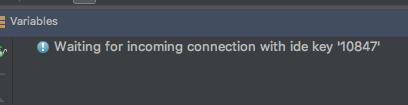
I set up a configuration based on PHP Web Page:
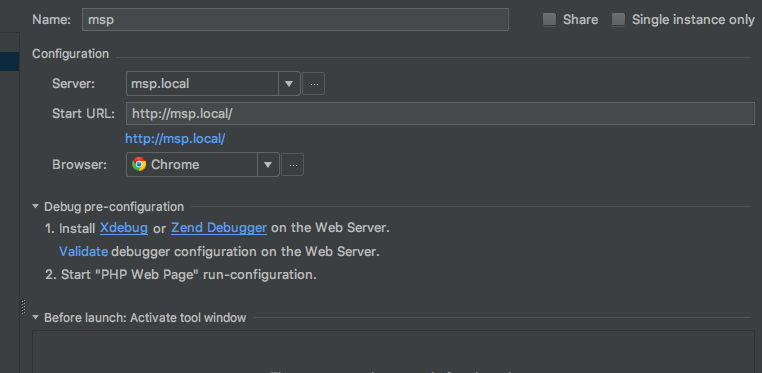
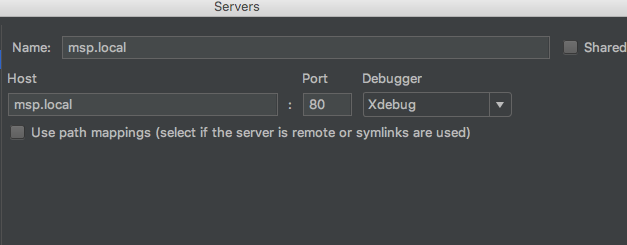
Yes, http://msp.local does work locally.
EDIT: I enabled Xdebug logging and I see this...
Log opened at 2018-03-21 19:38:56
I: Connecting to configured address/port: localhost:9000.
W: Creating socket for 'localhost:9000', poll success, but error: Operation now in progress (19).
W: Creating socket for 'localhost:9000', poll success, but error: Operation now in progress (19).
E: Could not connect to client. :-(
Log closed at 2018-03-21 19:38:56
My php.ini looks like this...
[xdebug]
MAMP_Xdebug_MAMPzend_extension="/Applications/MAMP/bin/php/php7.1.12/lib/php/extensions/no-debug-non-zts-20160303/xdebug.so"
xdebug.remote_enable=1
xdebug.remote_host=localhost
xdebug.remote_port=9000
xdebug.remote_connect_back=0
xdebug.remote_autostart=1
xdebug.remote_log="/Applications/MAMP/xdebug.log"
Any help?
Please sign in to leave a comment.
Hi there,
You are on Mac ... "localhost" may be resolving to IPv6 address (as it may have priority over IPv4 on your setup). Please try using 127.0.0.1 (IPv4 address) instead.
That's the first thing that comes to my mind when looking at the info you have provided.
Hi Andriy!
It's great to hear from you. I just tried what you suggested and changed xdebug.remote_host=localhost to xdebug.remote_host=127.0.0.1 but it didn't seem to have worked. I checked out the xdebug logs and found the following:
Log opened at 2018-03-21 20:48:49
I: Connecting to configured address/port: 127.0.0.1:9000.
W: Creating socket for '127.0.0.1:9000', poll success, but error: Operation now in progress (19).
E: Could not connect to client. :-(
Log closed at 2018-03-21 20:48:49
Not super sure then ...
Try also this:
Not sure what else it can be right now (not a Mac user myself).
I'm sorry, Andriy!
This is what I get for troubleshooting while frustrated. After I changed the IP address, I did not click "Start listening for PHP Debug Connections" in PhpStorm before testing out Xdebug again. Now that I made sure that PhpStorm was listening for Xdebug, it's working great now. Thank you :)
After changes php.in don't forger restart apache2 or nginx... Solved my problems... :DD