How to setup external issue tracking Gitlab server

Hi
Cannot find any up to date doc on setting up our Gitlab instance as a remove task server. Normal git operations are fine but I want to be able to list/manage issues stored on our Gitlab issue tracker.
Normally this is done by adding the remote server. You provide support for Gitlab remote servers, but there is no doc anywhere about which URL should be used.
Currently I have tried (using the "Test" button on the server dialog box):
https://ourgitlab.example.com/ => 410 Gone
https://ourgitlab.example.com/api/v4 => 404 not found
Here is a screenshot of the setup: https://assets.weeblr.net/images/screenshots/weeblr-2018-07-10-15.46.53.png
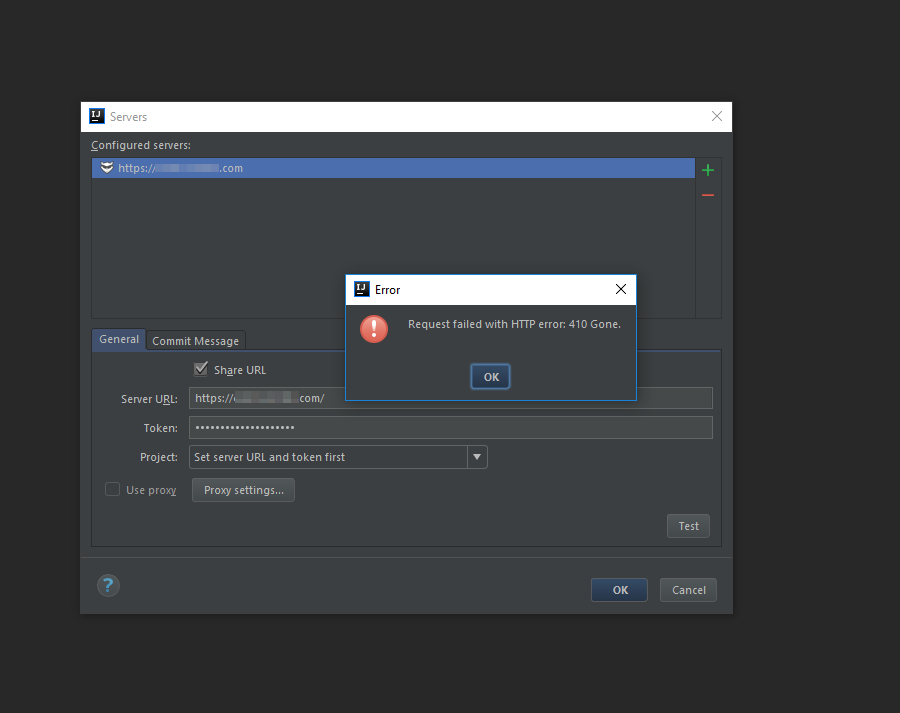
I have tested with a new token created from the https://ourgitlab.example.com/profile/personal_access_tokens page.
Gitlab instance is the current one, GitLab Community Edition 11.0.3
Please advise and/or provide link to documentation for that supported feature.
Best regards
Please sign in to leave a comment.
Looks like https://youtrack.jetbrains.com/issue/IDEA-193736. Please try 2018.2 RC from https://www.jetbrains.com/idea/nextversion where mentioned issue should be fixed.
Hi
Thanks, I do not plan on using RC versions, I'll await official release.
Best regards
Sure it is up to you. Just please note that you can install and run it along with 2018.1 version.